
Nova Bank
A modern mobile banking app designed for clarity, speed, and trust. Complete UI/UX case study covering research, wireframes, user flows, A/B testing, design system, and high fidelity mobile screens.
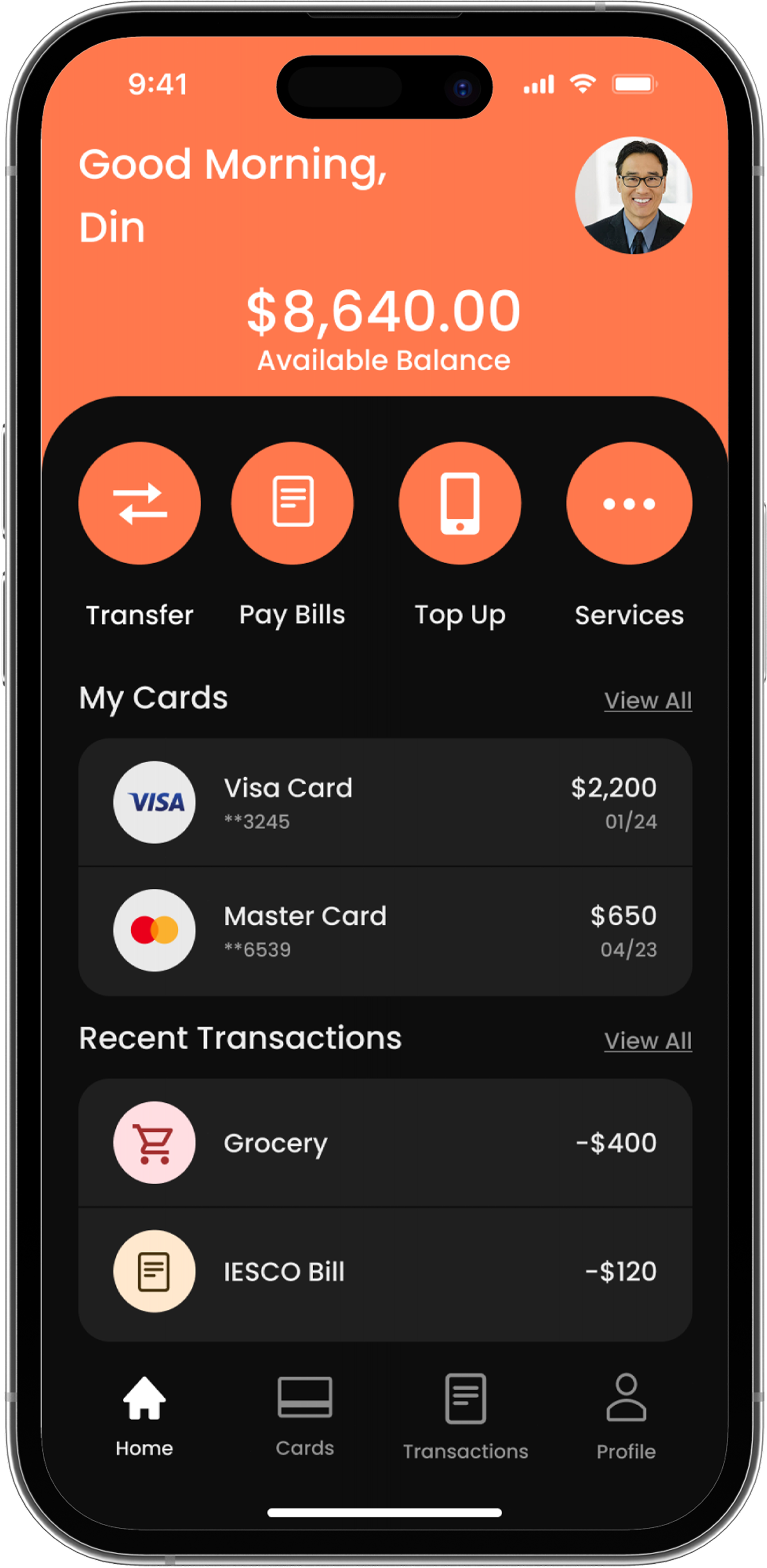
Banking, redesigned for the mobile generation
Nova Bank is a concept fintech mobile banking app designed around clarity, speed, and trust. The goal was to simplify the everyday banking experience by making balances, transfers, cards, and transaction history easier to understand at a glance.
Since this is a concept project without access to real Nova Bank users, I built the primary persona from patterns observed across competitor reviews, app store feedback, and common friction points reported by neobank users — then mapped her thoughts, feelings, and emotional curve through the send-money flow so every design decision traces back to a realistic need rather than a guess.
What users actually hate about banking apps
Before designing a single screen, I analyzed competitor apps and identified the friction points that make users frustrated with traditional banking UX.
Navigation overload
Too many tabs, buried features, inconsistent IA. Users can't find what they need fast.
Trust & clarity gap
Hidden fees, confusing transaction labels, and unclear balances erode user confidence.
Slow critical actions
Sending money or checking a statement takes too many steps. Users expect instant feedback.
Outdated visual design
Many banking apps feel visually outdated compared to modern consumer products. Users expect a cleaner, more premium digital experience.
Who Nova Bank is designed for
Nova Bank targets mobile-first users who already bank with — or have switched away from — neobanks like Revolut, Monzo, or Chime. They expect the speed and clarity of those apps, but want a visual identity that feels more premium than the typical neobank palette.
Young professionals (22–35)
Salary, daily spending, and savings managed almost entirely from a phone — minimal patience for friction.
Neobank-fluent users
Already use Revolut, Monzo, or Chime daily; benchmark every new fintech app against that bar.
Frequent transactors
Send money, split bills, and check balances multiple times a day — every extra tap is a cost.
Design-conscious users
Want their banking app to feel as considered as the rest of the apps on their phone — not generic fintech green/blue.
Persona, Empathy Map & Journey Map
Before touching layout, I built a primary persona to represent Nova Bank's core user, mapped what she says, thinks, does, and feels around everyday banking tasks, and traced her emotional curve through the send-money flow — so every design decision traces back to a real need instead of a guess.
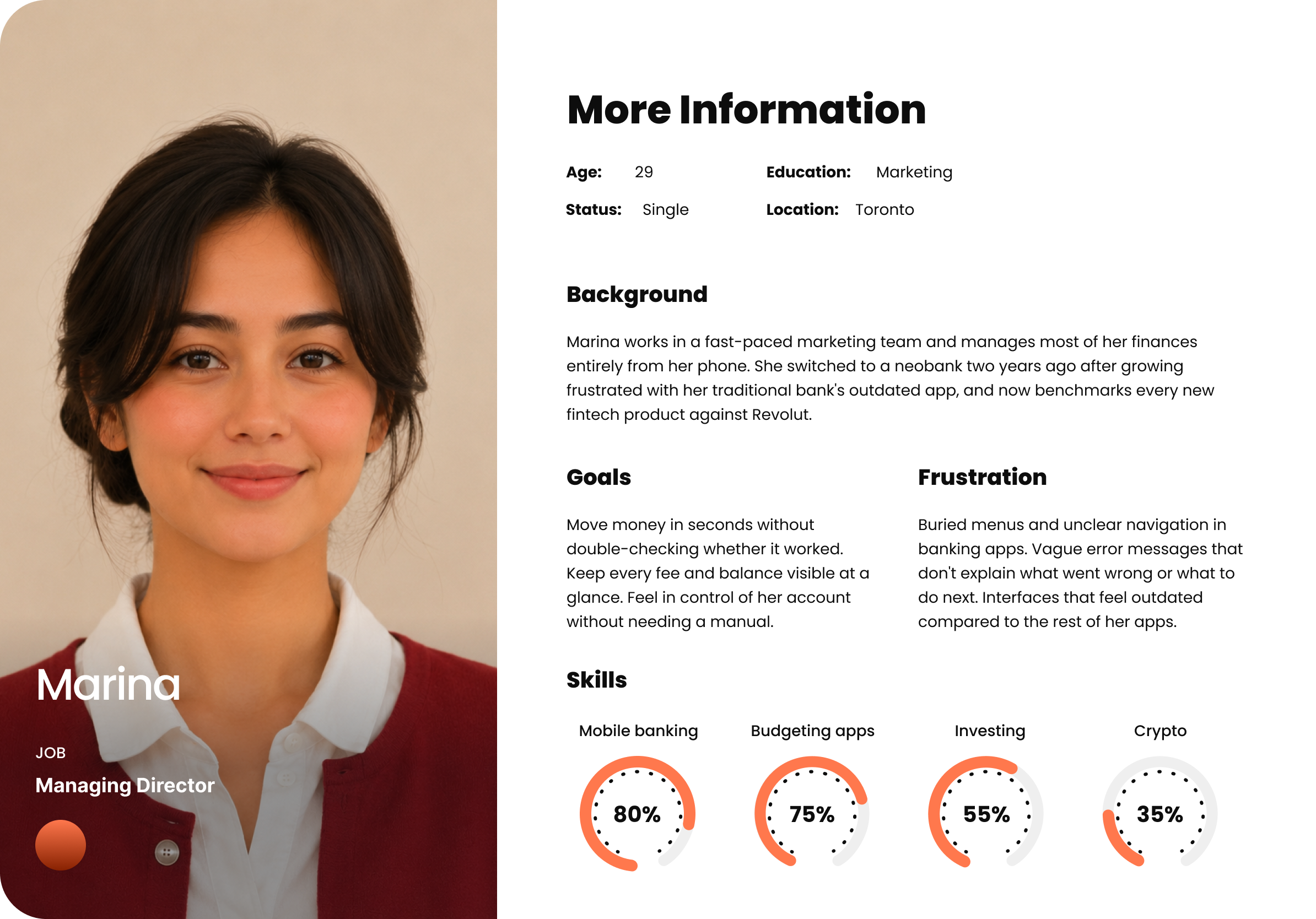 Persona — Primary User
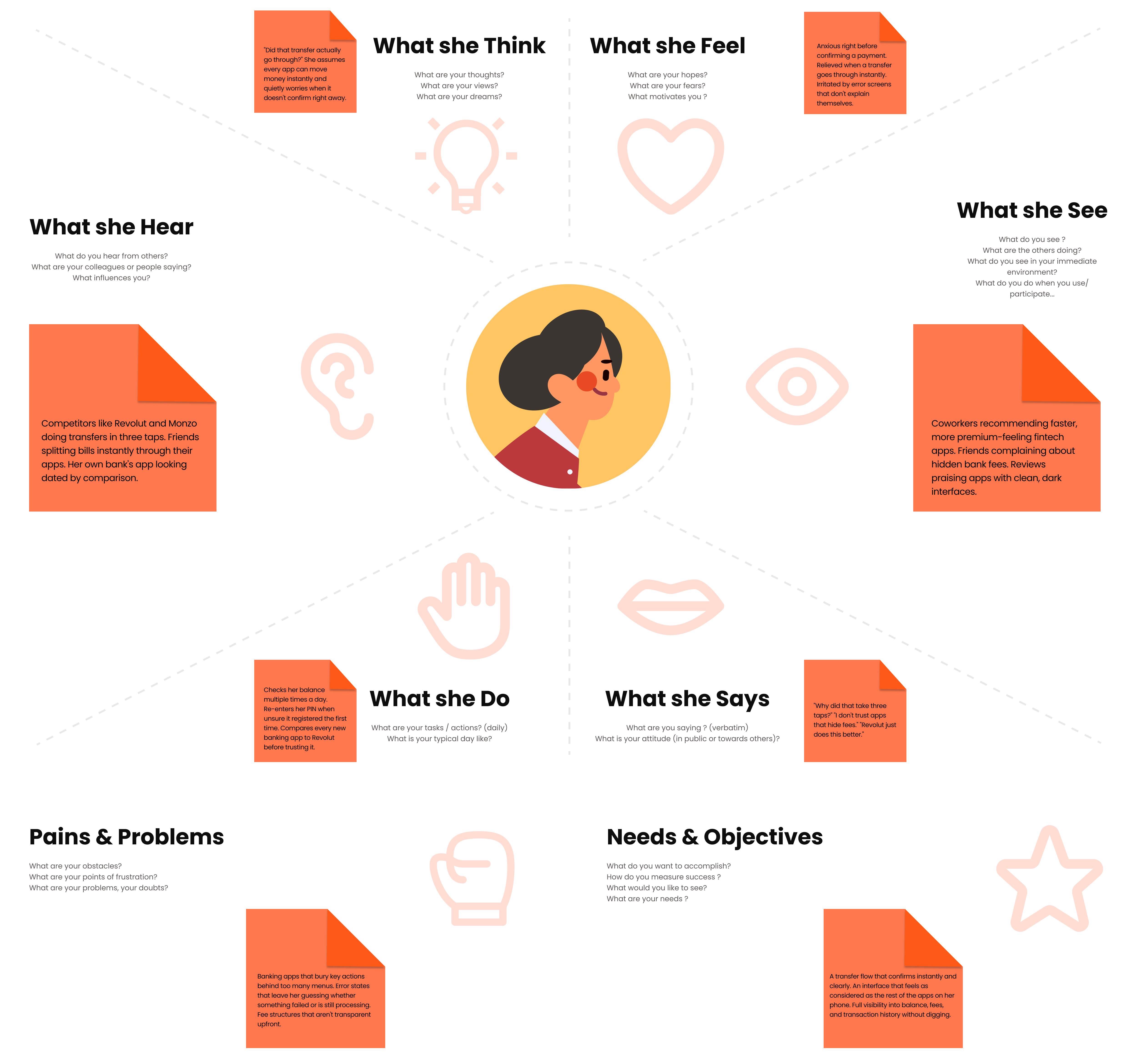 Empathy Map
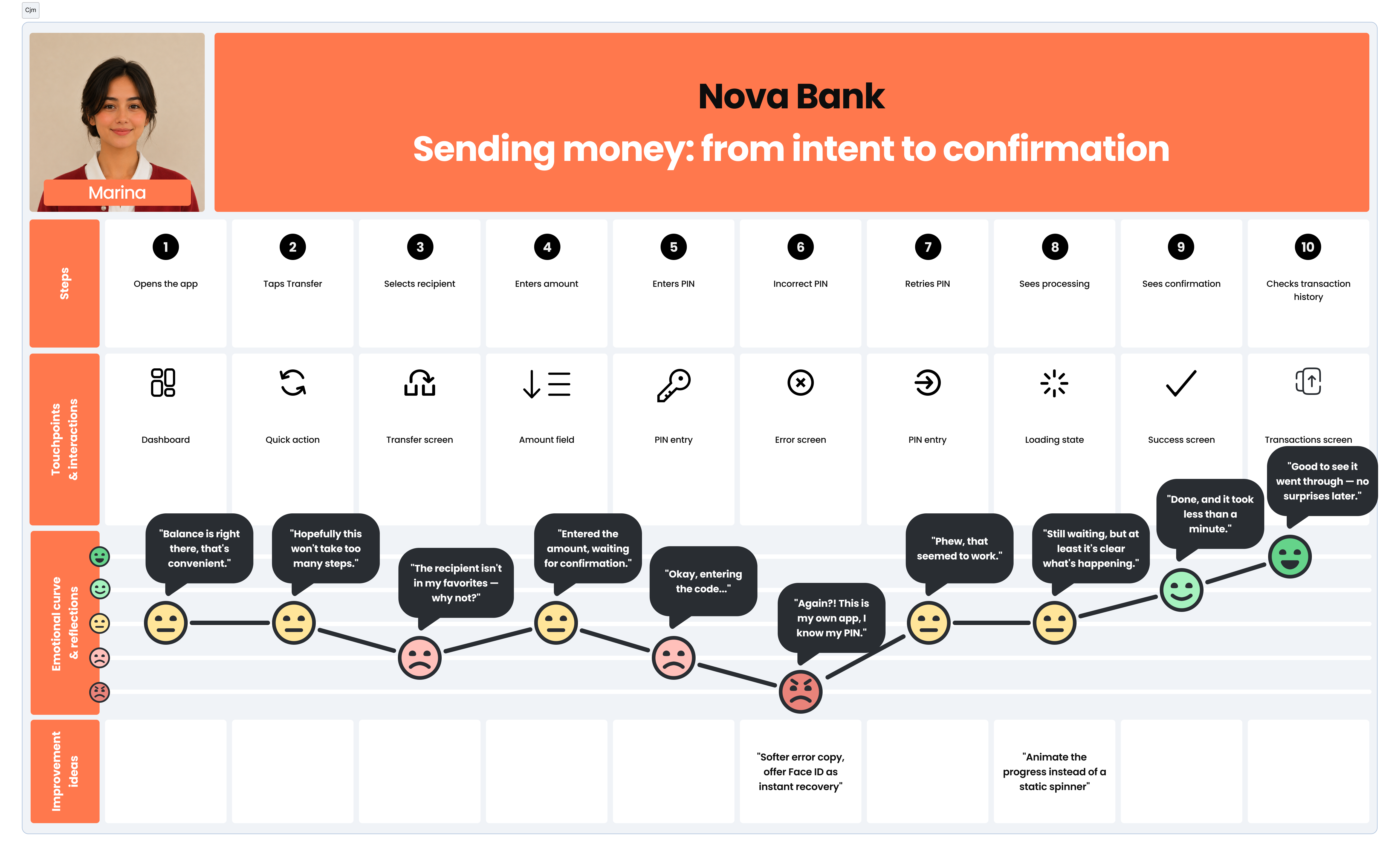 Journey Map — Sending money: from intent to confirmation
How Nova Bank compares
I benchmarked Nova Bank against three neobanks widely recognized for strong UX — Revolut, Monzo, and Chime — to find the gap Nova Bank could realistically own.
| Feature | Revolut | Monzo | Chime | Nova Bank |
|---|---|---|---|---|
| Instant transaction notifications | ||||
| Budgeting / savings pots | ||||
| Card freeze / unfreeze in 1 tap | ||||
| Premium / non-generic visual identity | ||||
| Designed error & failure states | ||||
| Transfer flow in ≤3 steps | ||||
| Multi-currency / travel features |
Problem and goals
Problem
Traditional banking apps prioritize compliance and feature completeness over user experience. The result is cluttered interfaces with poor hierarchy, confusing navigation, and visual design that creates anxiety rather than confidence. Users distrust what they can't read clearly.
Goals
Design a mobile banking app that makes balance, transactions, and transfers immediately clear. Create a dark premium UI system that communicates trust and modernity. Reduce cognitive load so every action takes fewer taps and zero confusion.
"How might we design a banking app that feels as intuitive and premium as the best consumer apps, while maintaining the clarity and trust that financial products demand?"
Design process
From research to polished UI — a structured five-stage approach.
Information Architecture
Before any layout was wireframed, I mapped the full navigation structure — top-level sections, feature hierarchy, and how every screen connects. This defined how deep any action could go and where auth, confirmation, and error states needed to live in the tree.
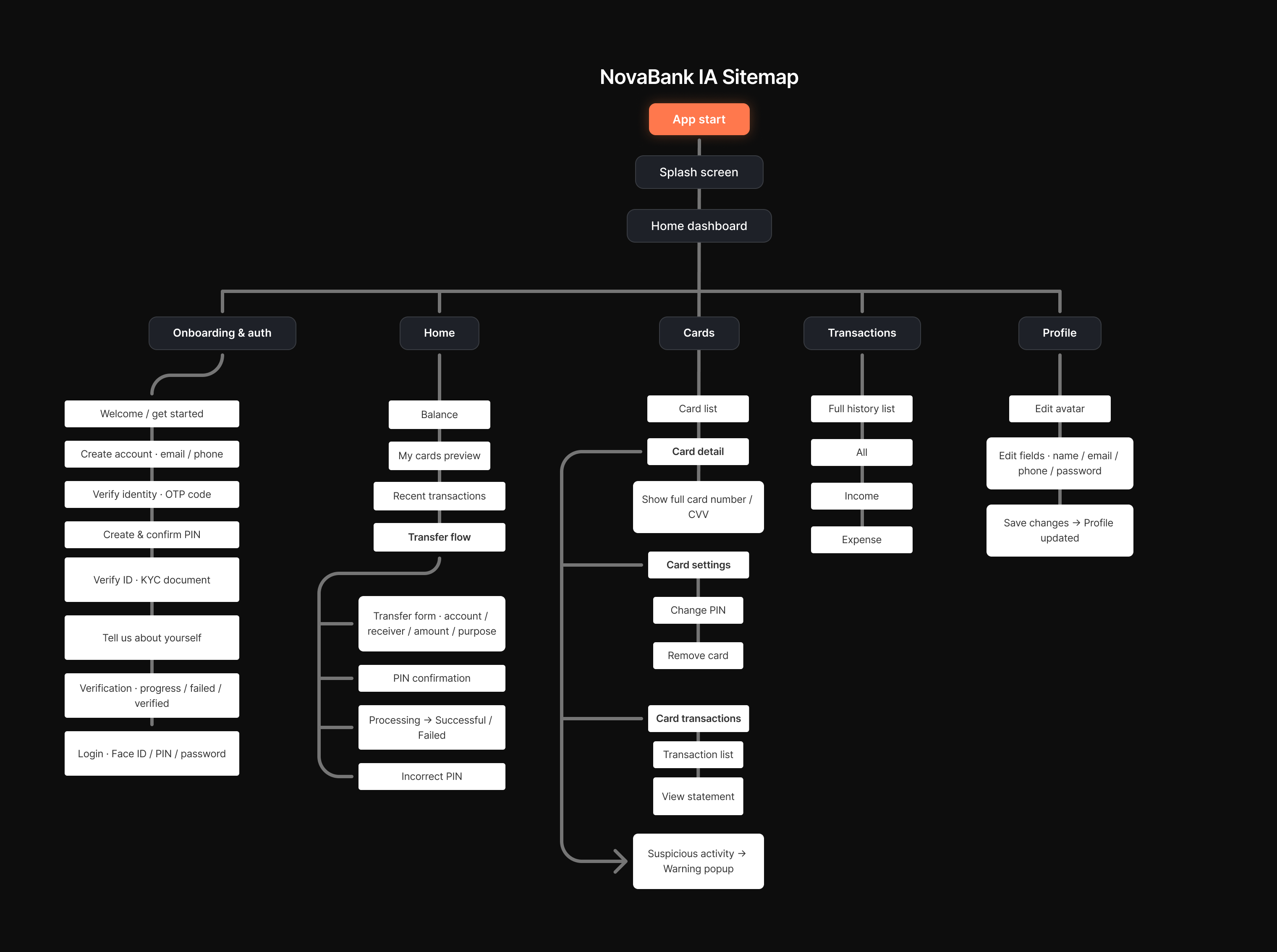 Information Architecture — Site Map
Wireframe, User Flow & A/B Testing
Before any pixel was styled, I mapped the complete screen structure and interaction paths. Wireframes define every layout and hierarchy; the user flow captures all 4 core paths — onboarding, transfer, transactions, and card management — so no edge case was left undesigned. I then set up a concept-level A/B comparison of the dashboard and transfer confirmation screens — two layout and copy variants evaluated against clarity and friction heuristics (no live traffic on this concept project) — to reason through which direction to lock before finalizing the UI.
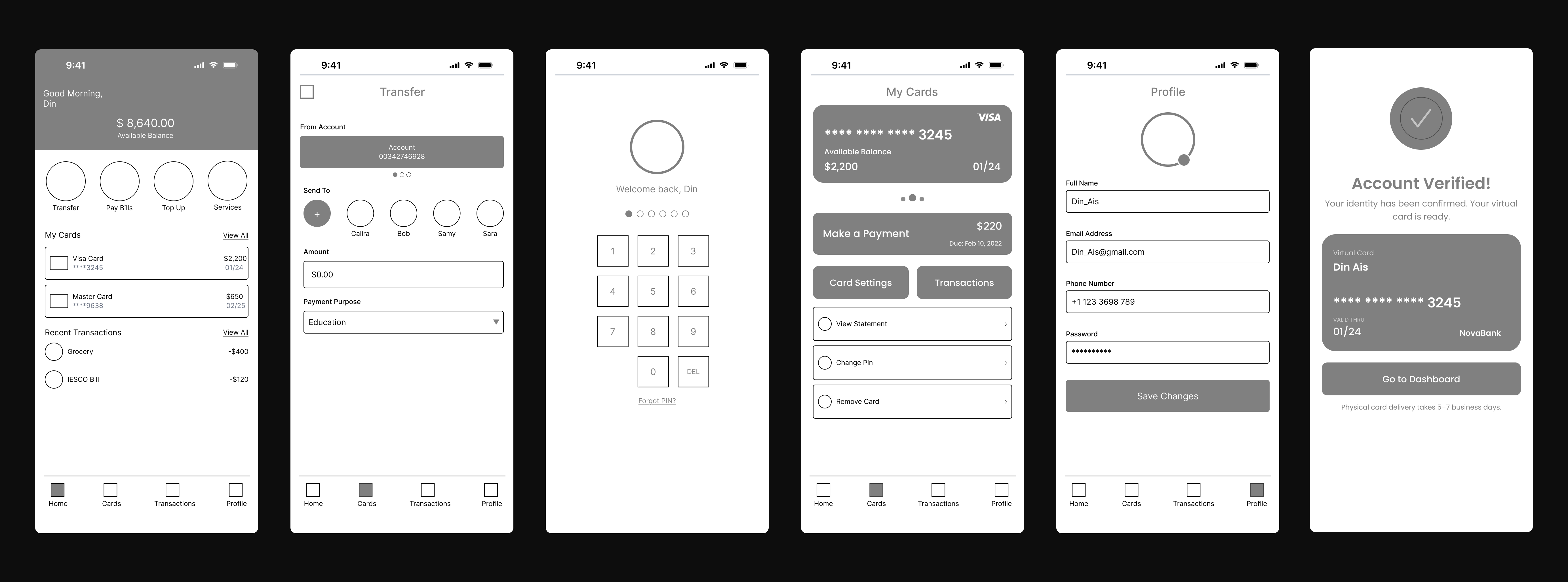 Wireframe — Full Screen Spread
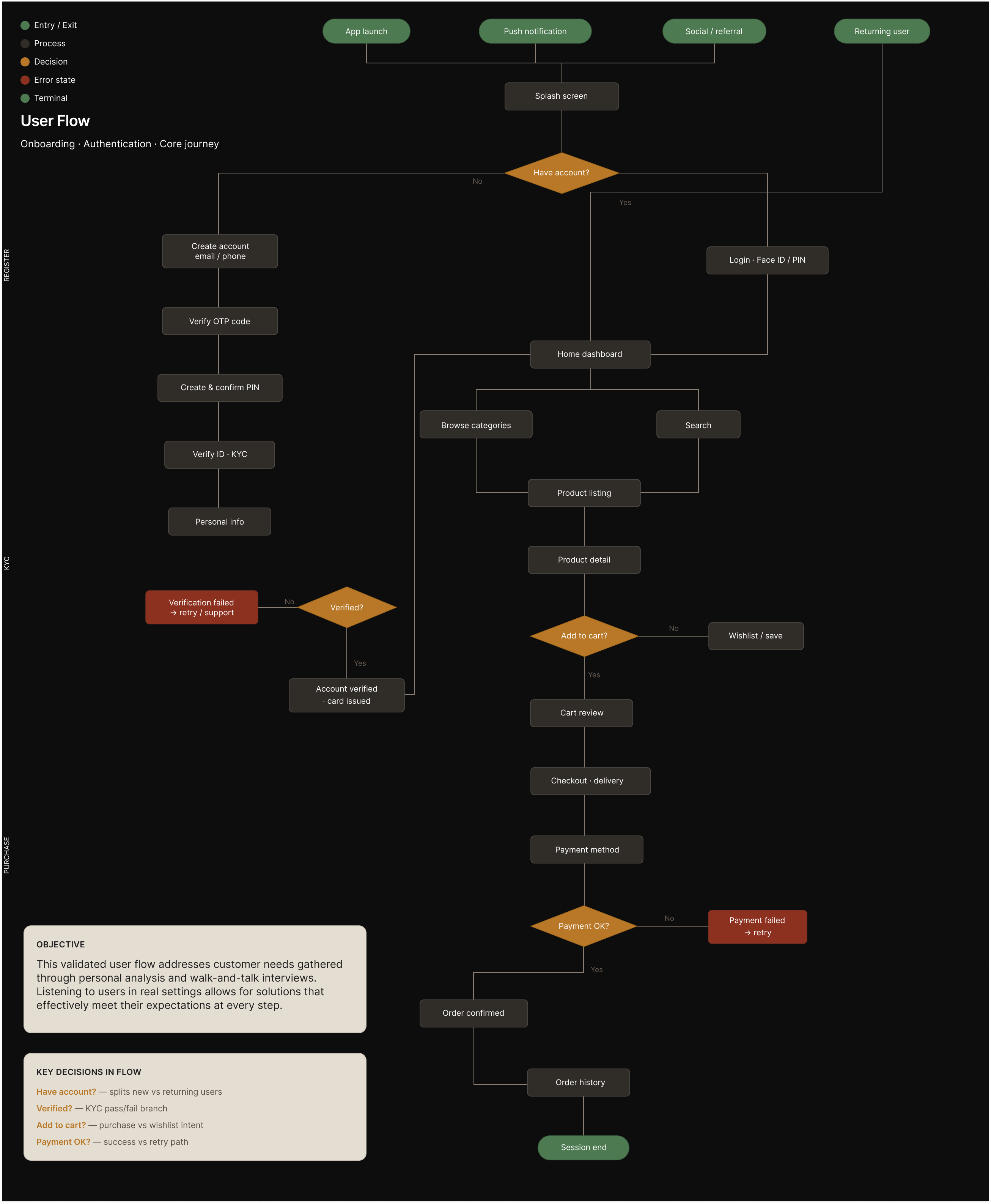 User Flow — 4 Core Paths
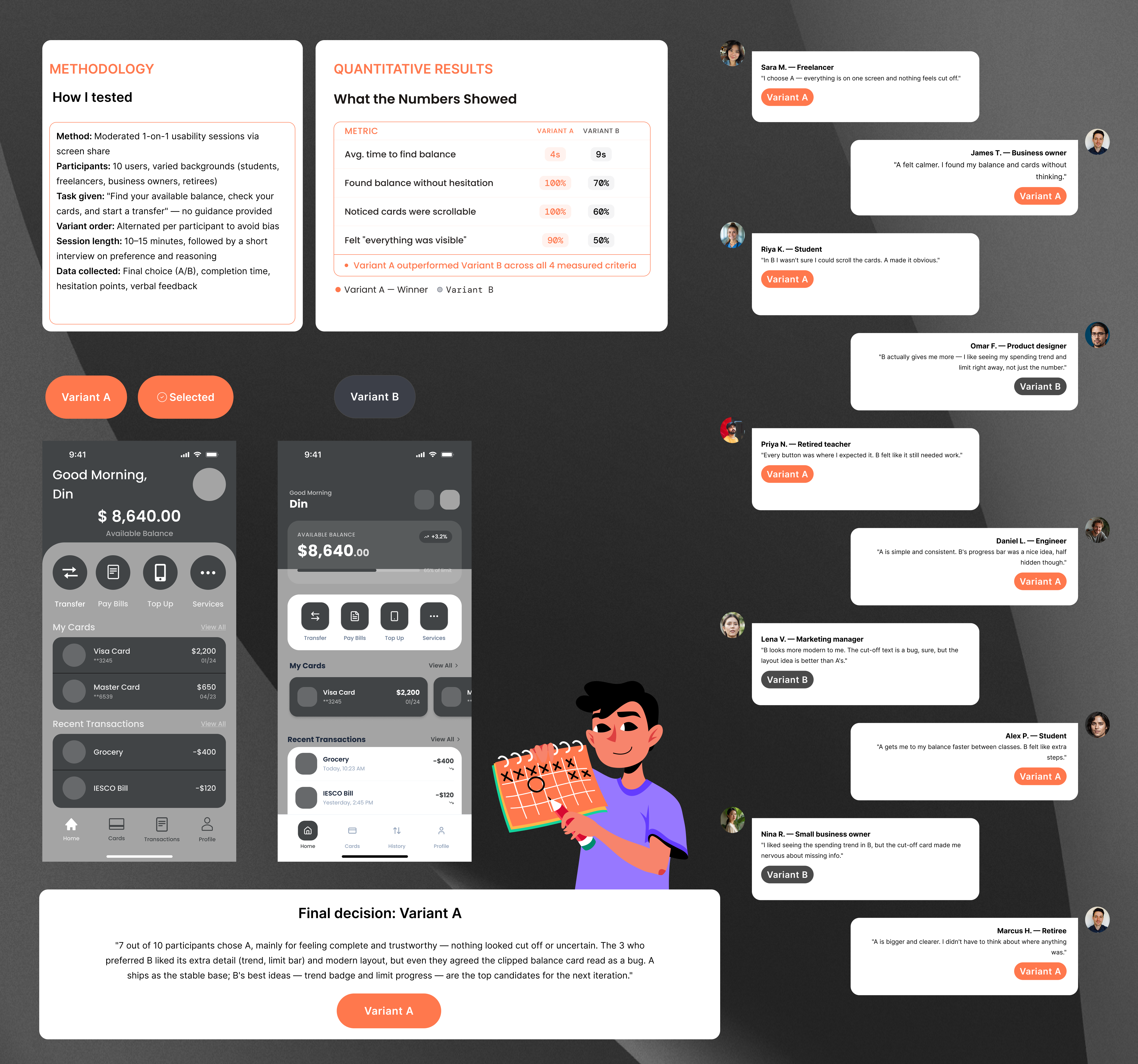 A/B Testing — Home page (concept-level)
Design system & UI kit
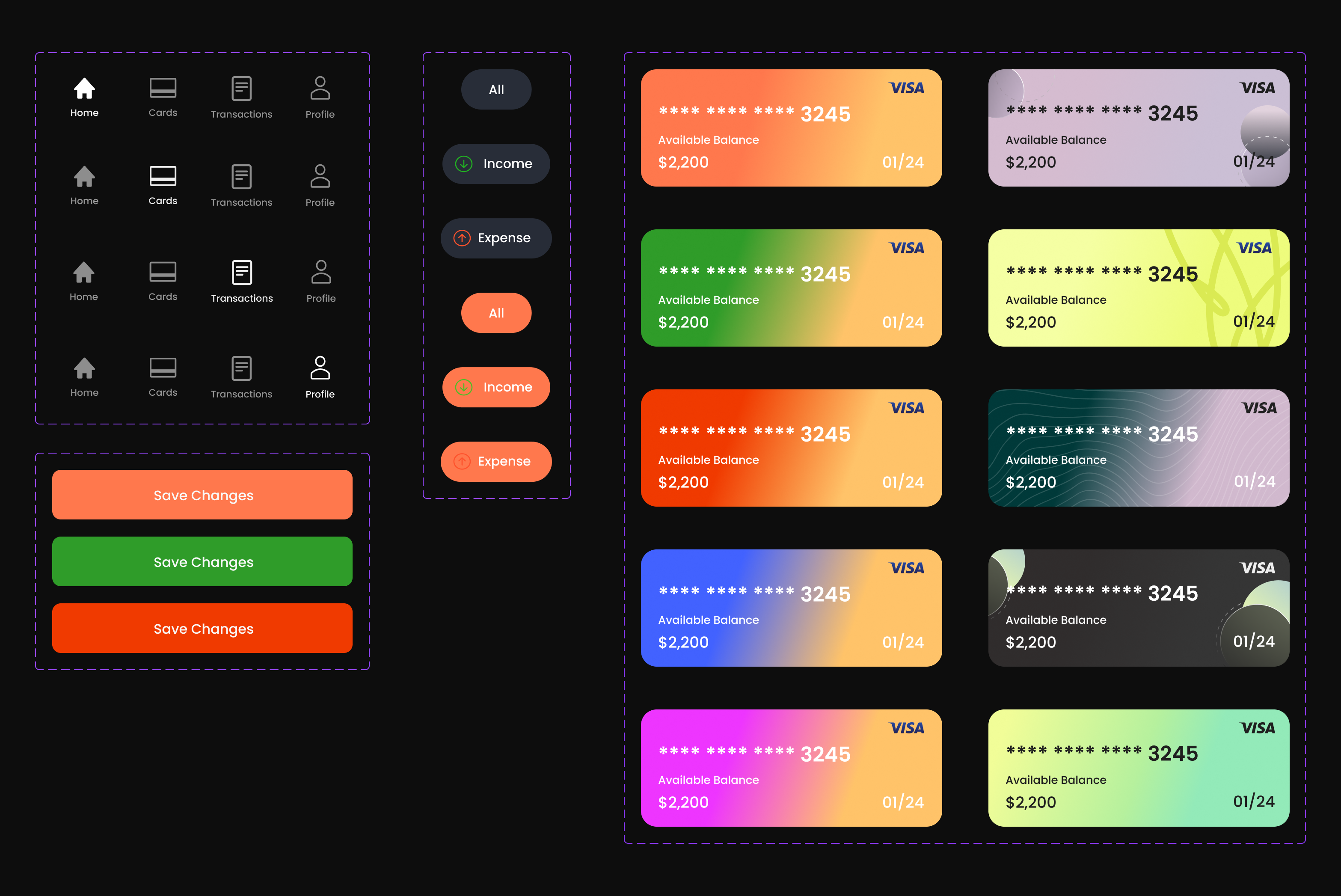
A complete token-based design system built from scratch — one unified canvas covering colors, typography, reusable components, navigation states, buttons, chips, cards, inputs, status screens, and theme variants.
Final screens
A set of high fidelity mobile screens covering the core banking experience, from onboarding and identity verification to account overview, card management, transfers, transaction history, security feedback, and system states.
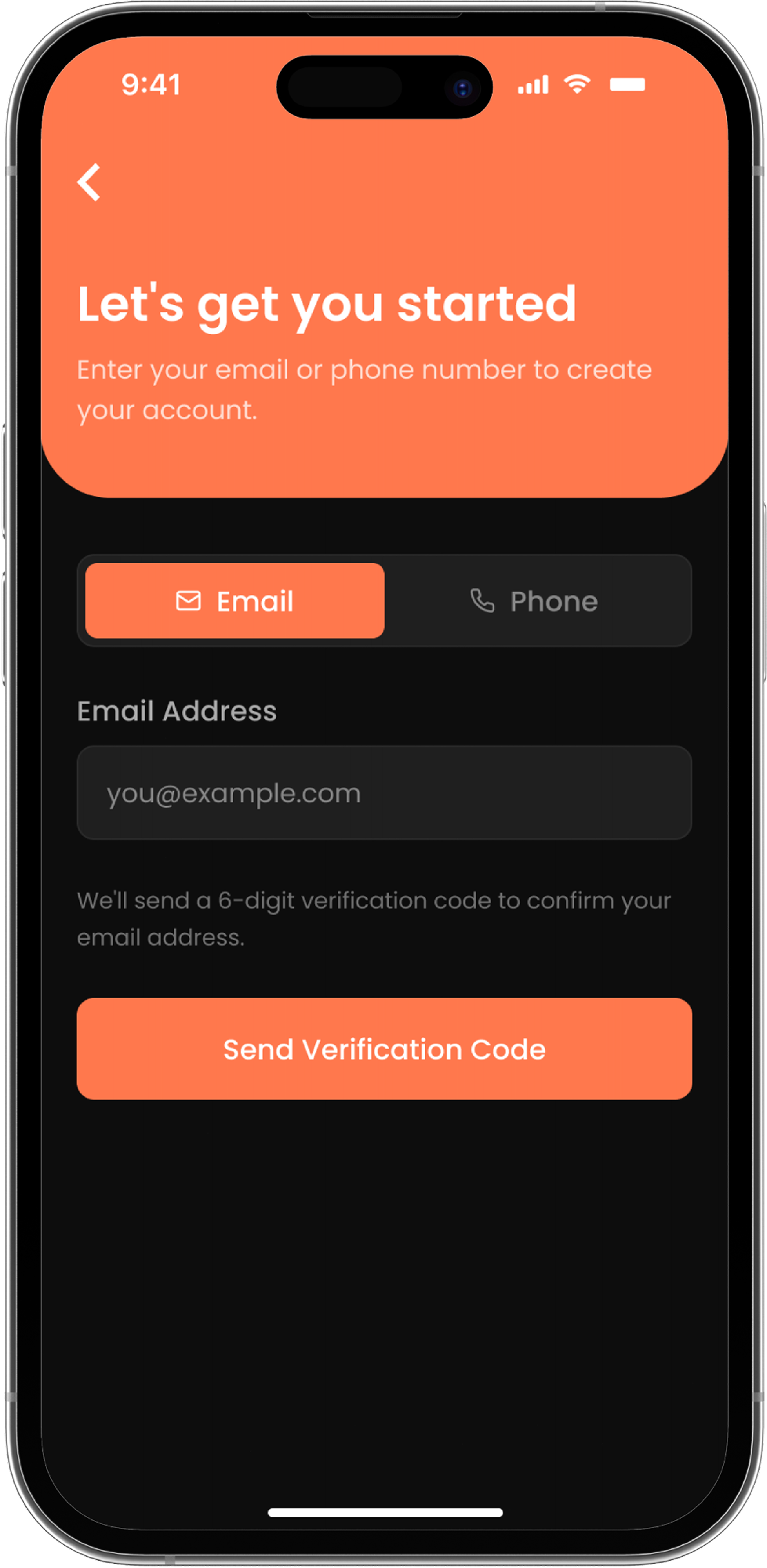
Entry point for new users to start signing up with email or phone.
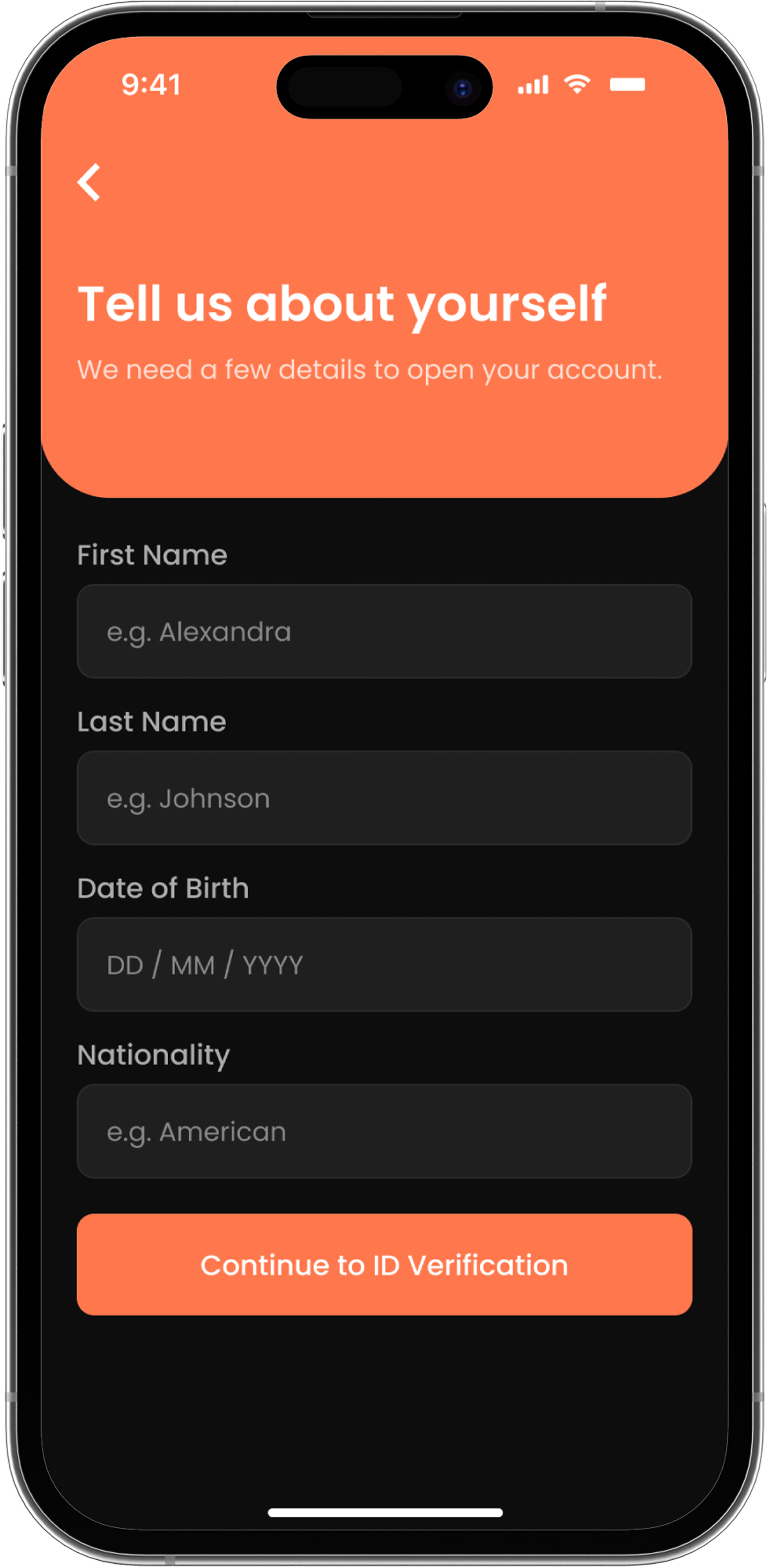
Personal details form collected before identity verification begins.
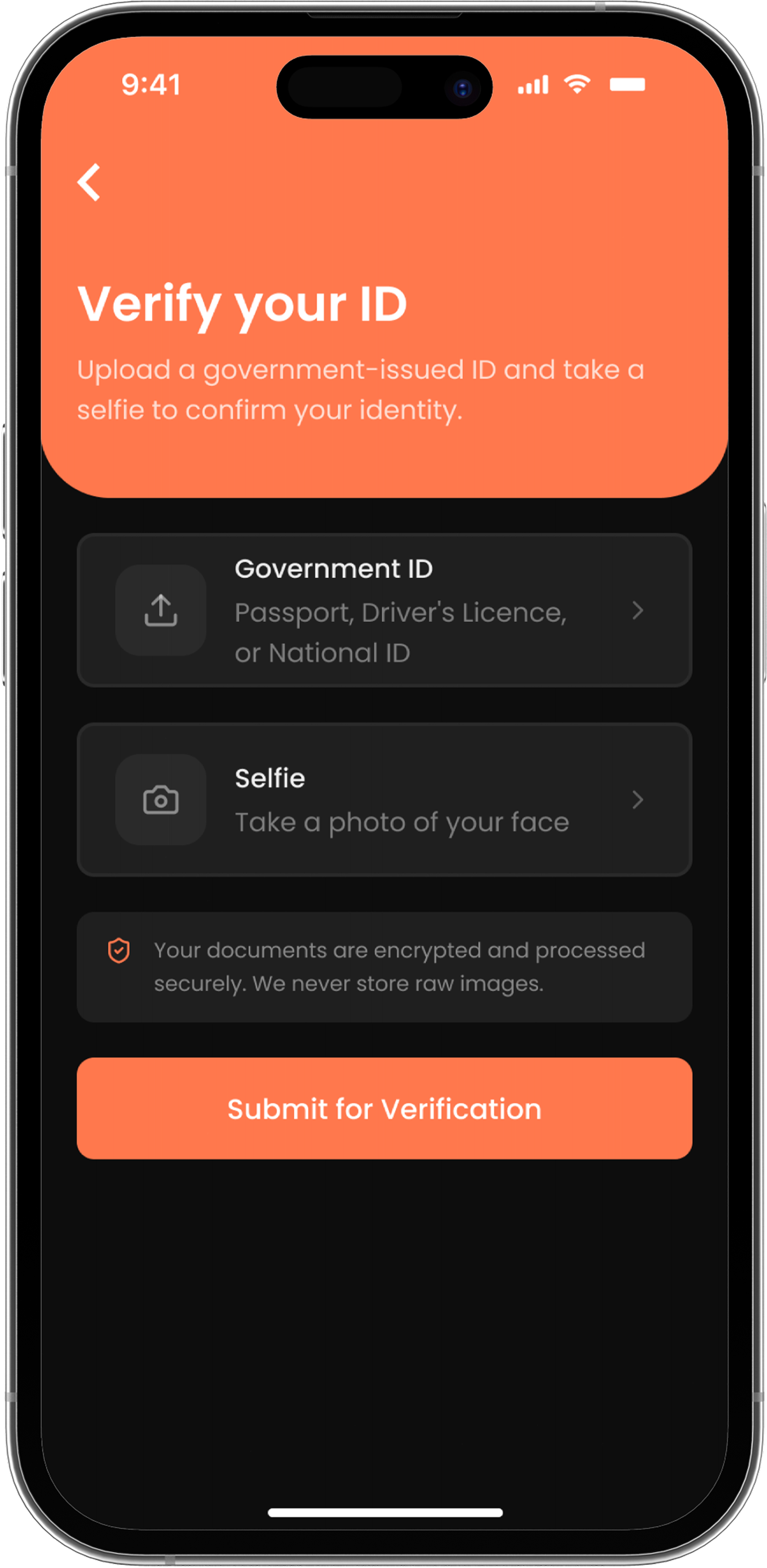
Document upload step required to confirm identity before account activation.
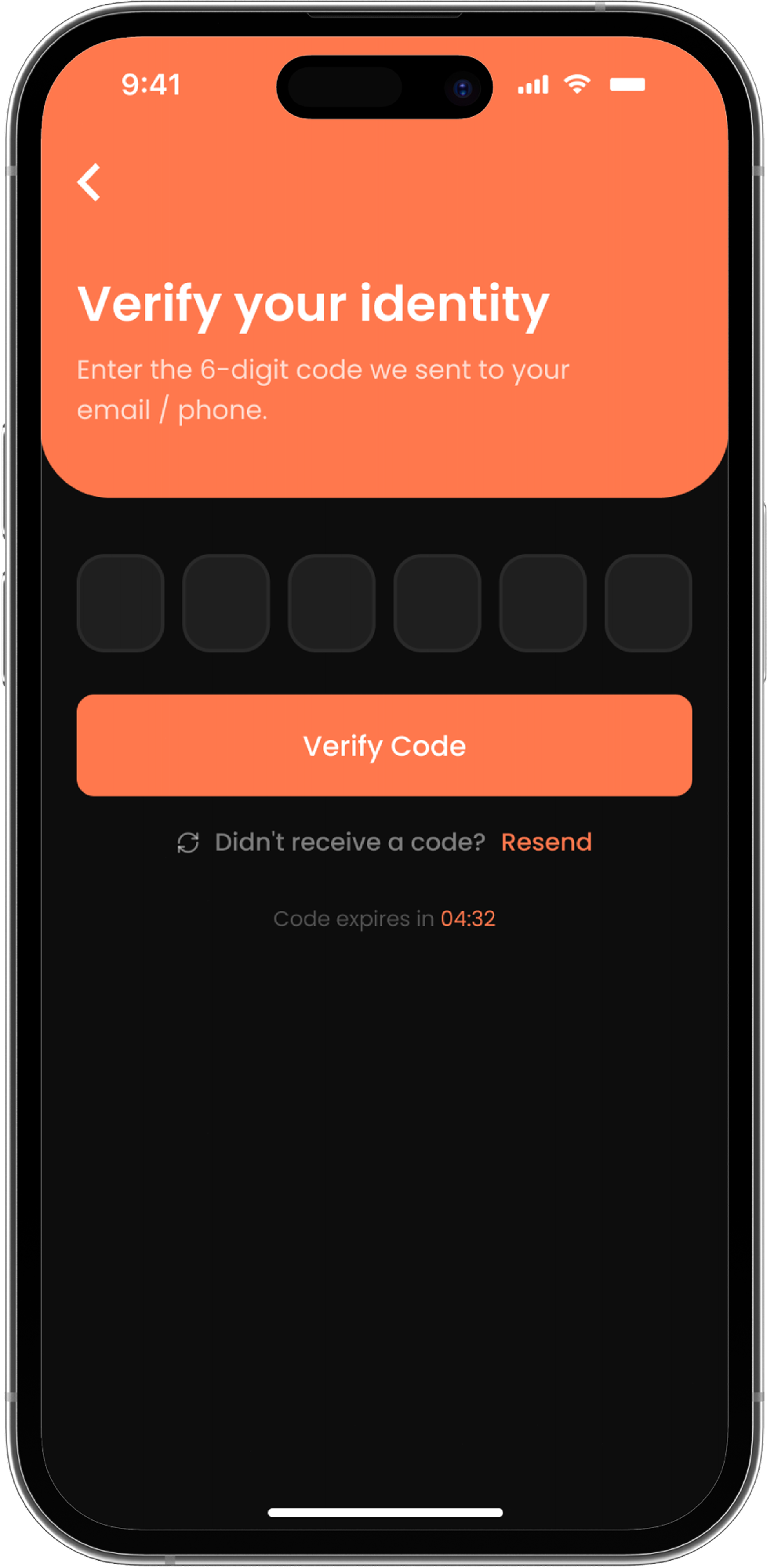
One-time code entry to confirm the email or phone number provided at sign up.
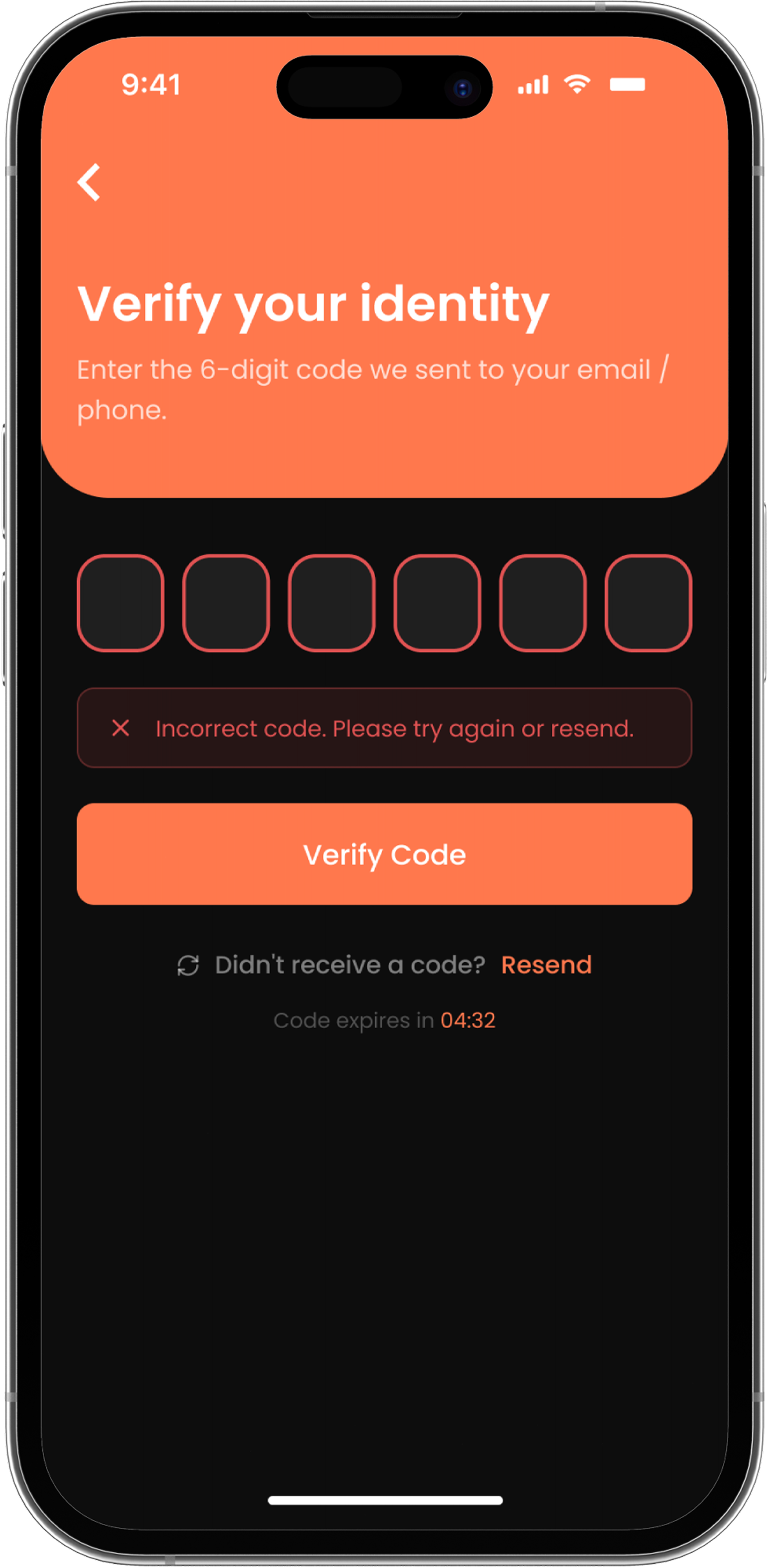
Error state guiding the user to retry or request a new verification code.
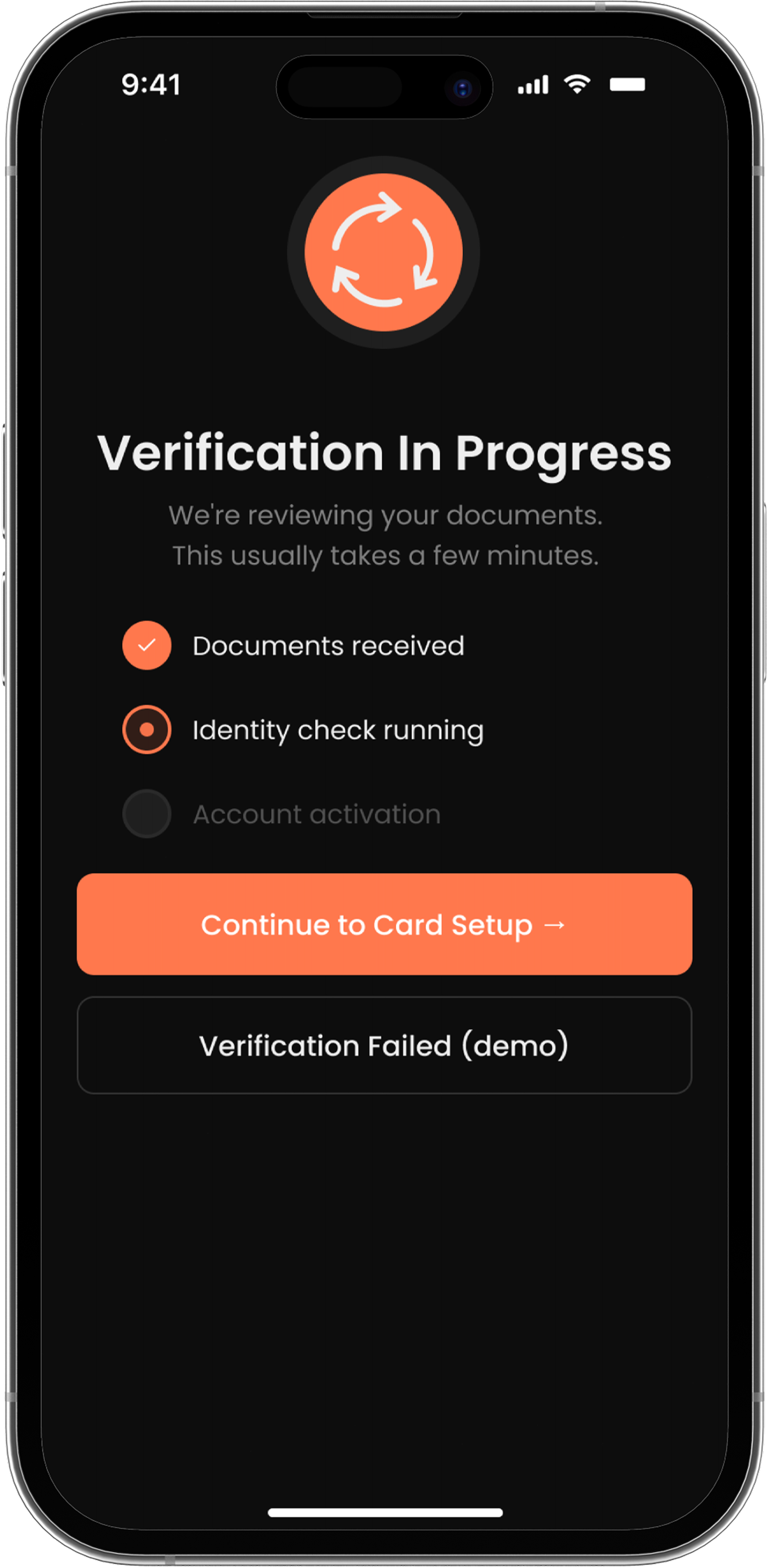
Loading state shown while identity documents are being reviewed.
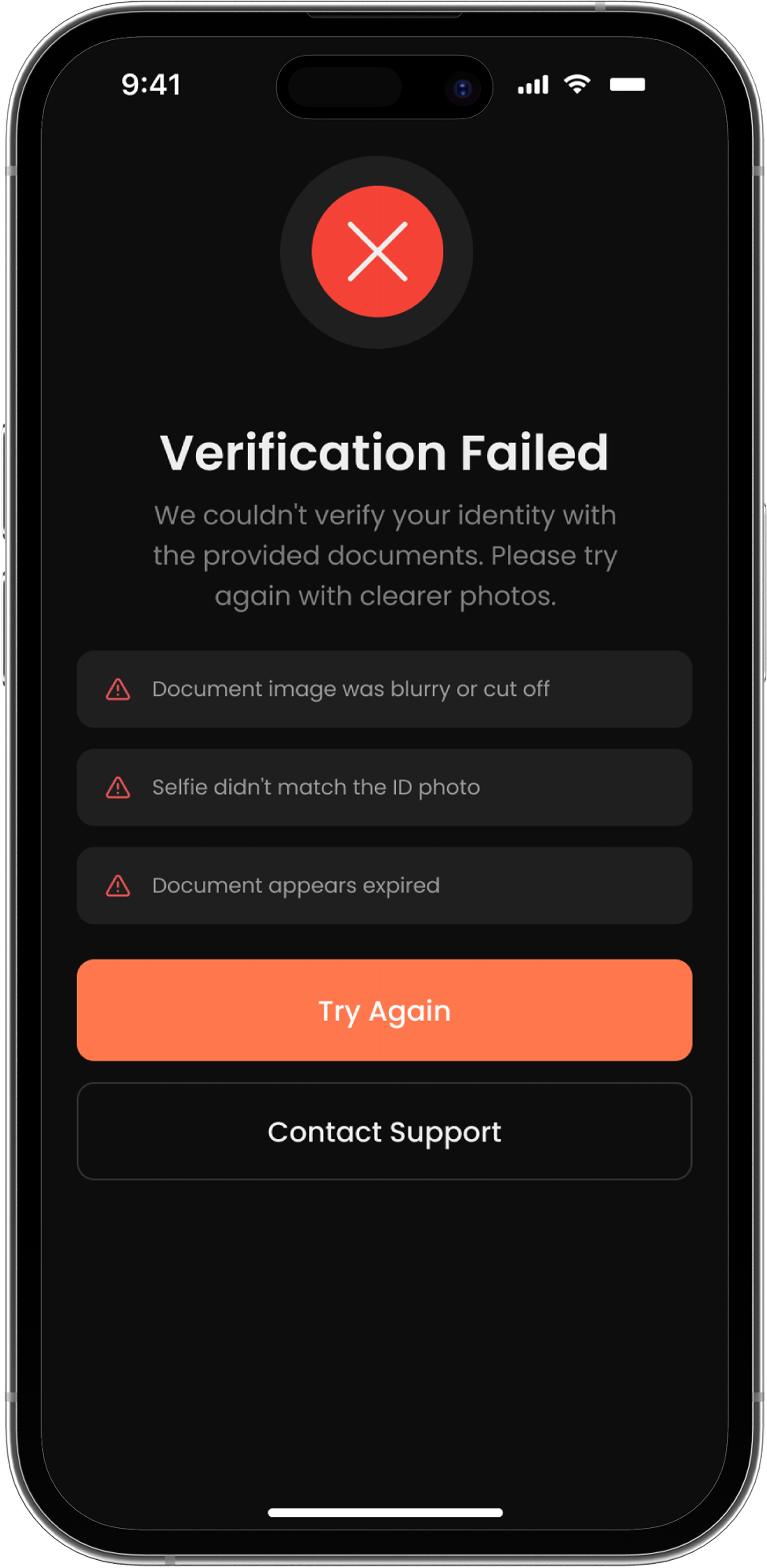
Error state offering the user a clear path to retry document verification.
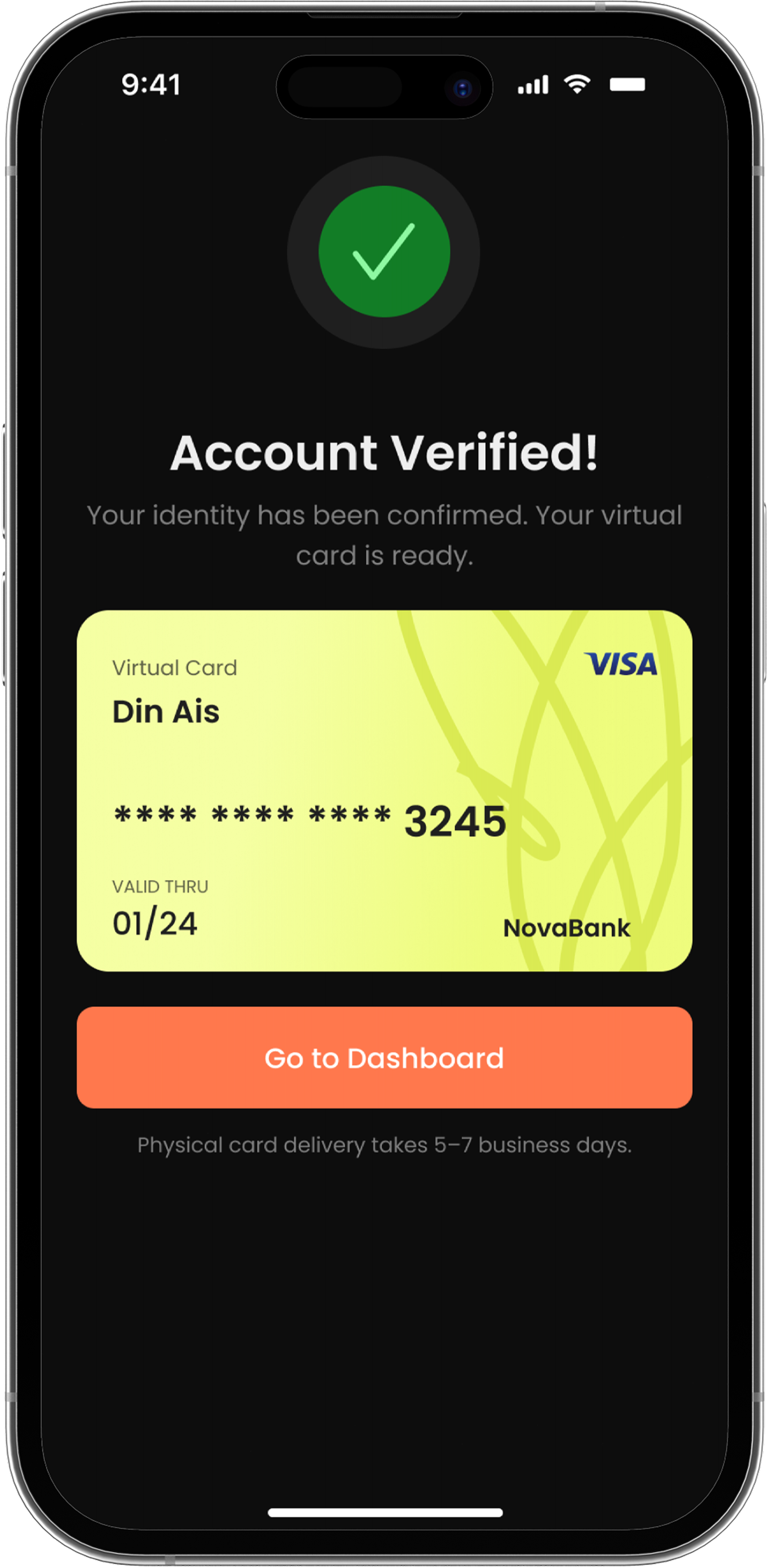
Confirmation state marking successful completion of identity verification.
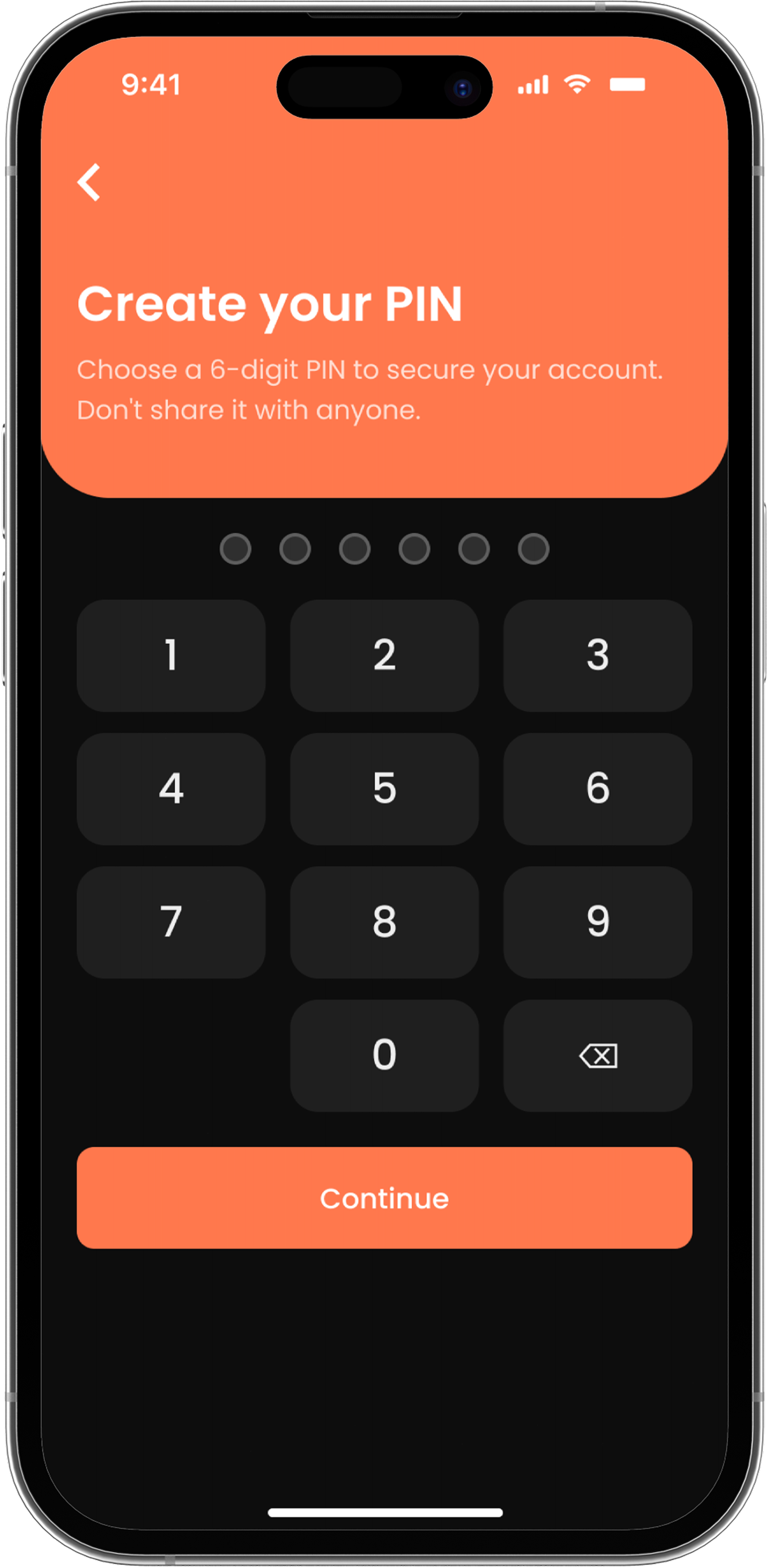
First-time PIN setup to secure the new account before first use.
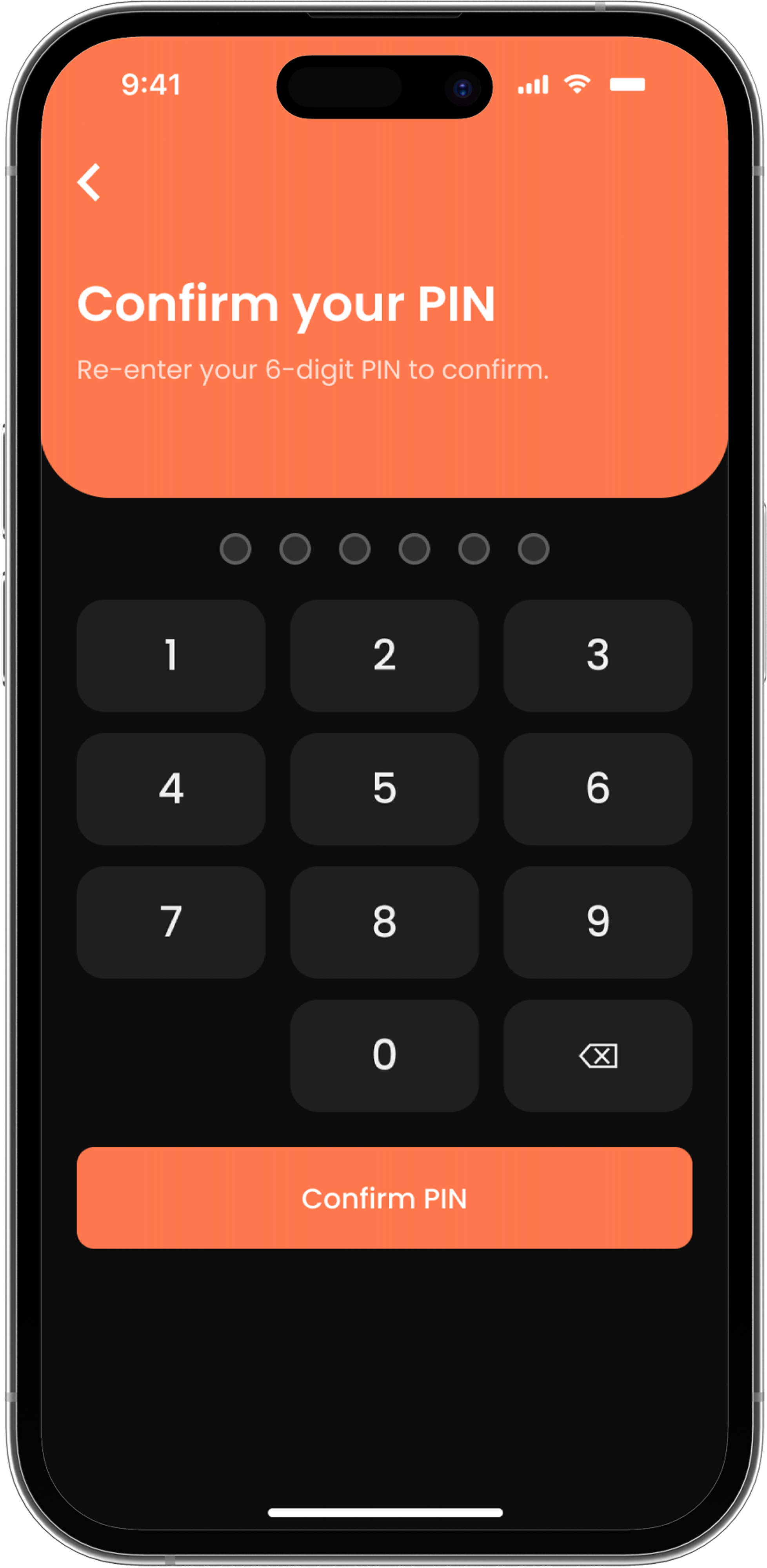
Re-entry step to confirm the newly created PIN matches before saving.
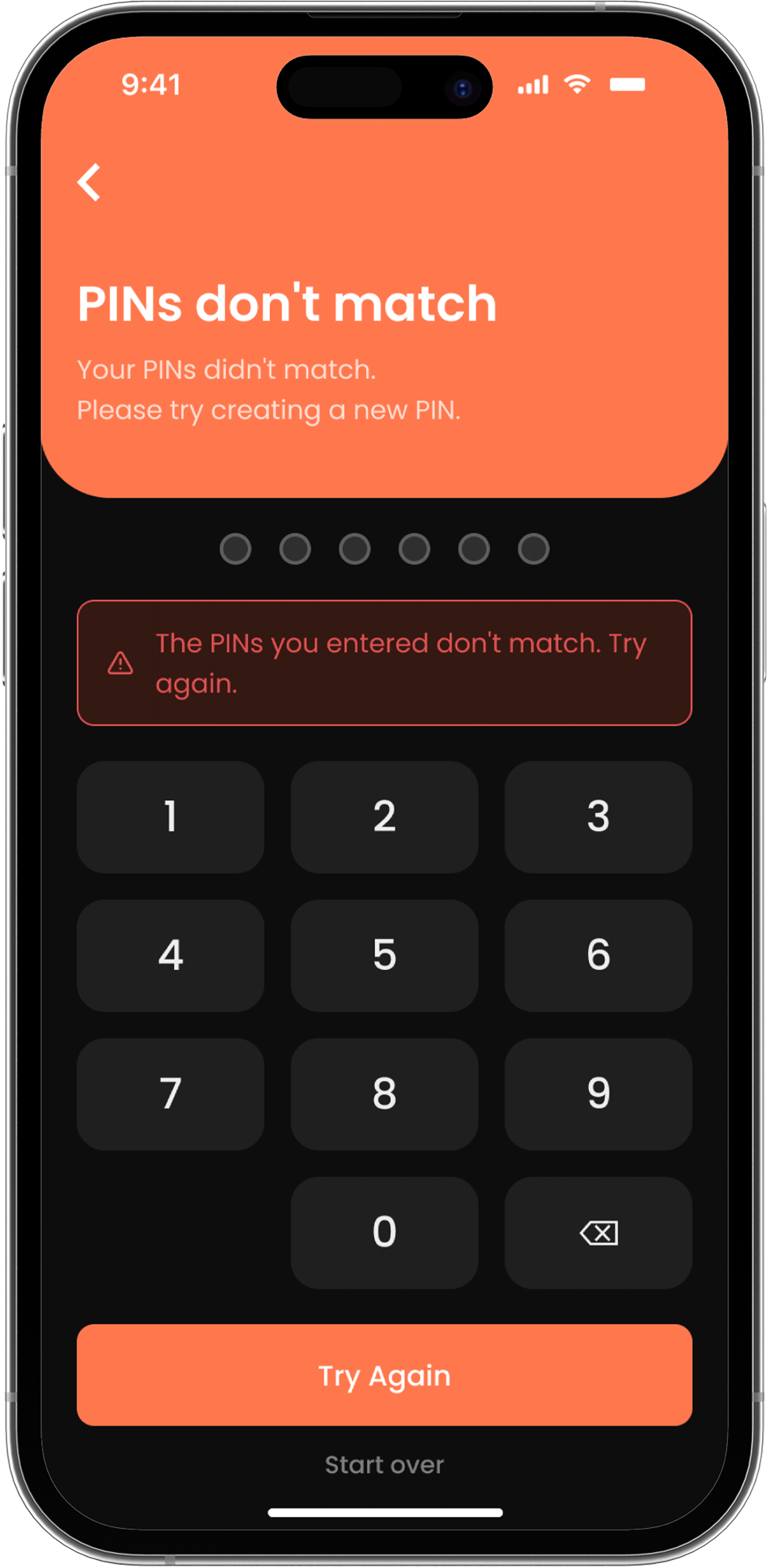
Error state when the confirmed PIN doesn't match the one just created.
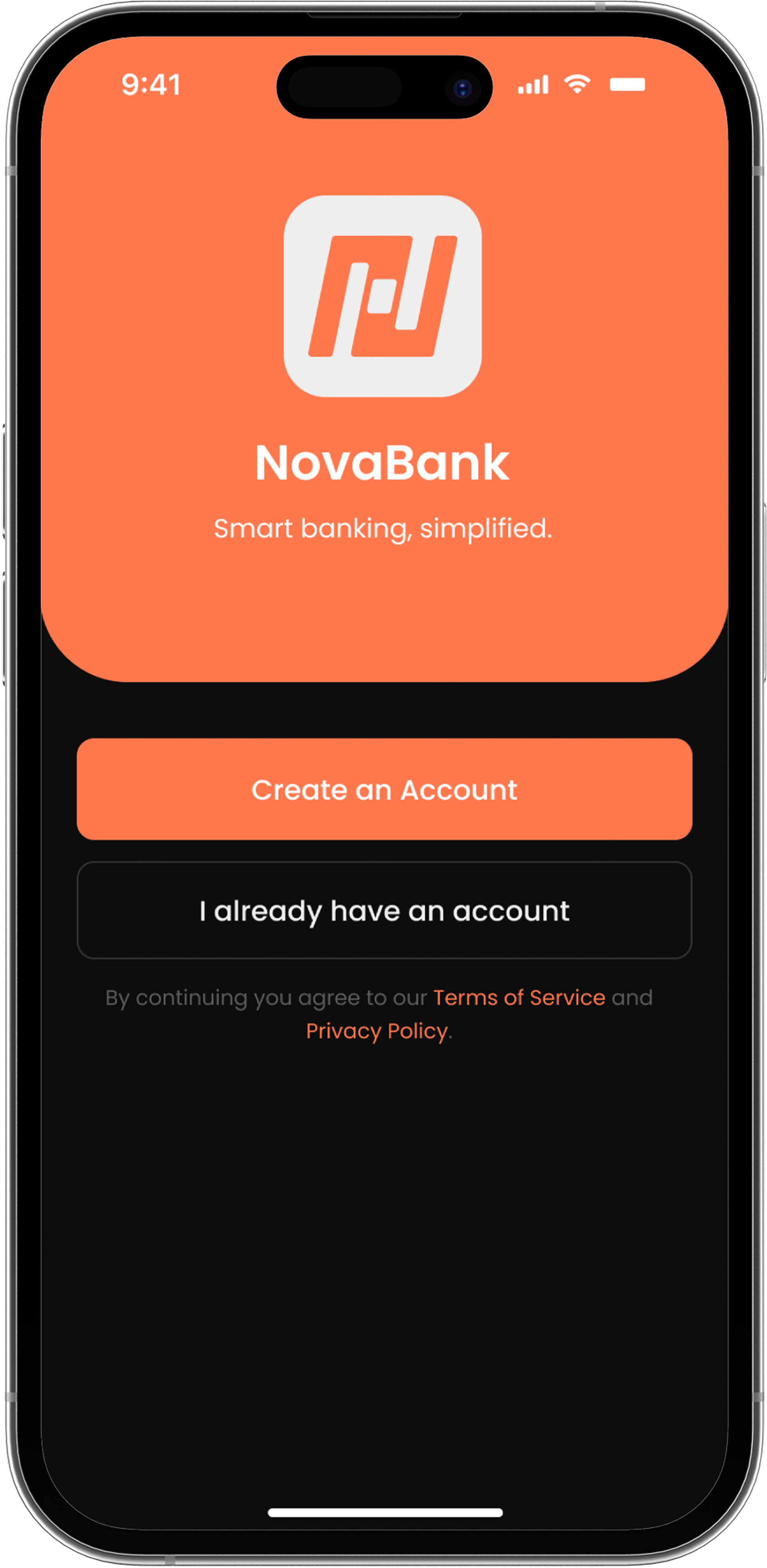
Welcome state marking the completion of onboarding and card issuance.
Main overview with balance, cards, quick actions, and recent transactions.
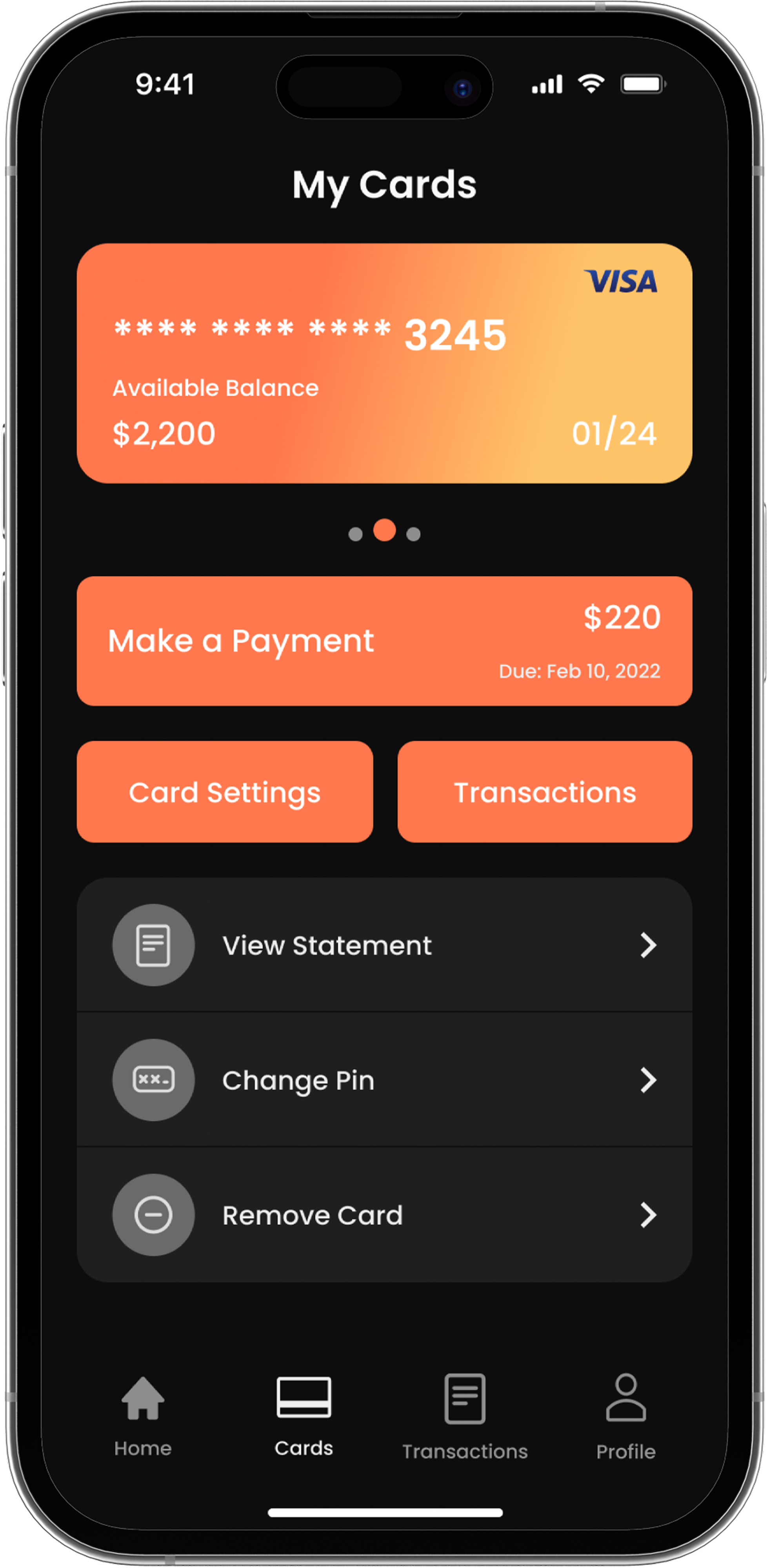
Card management screen with payment actions, settings, and statements.
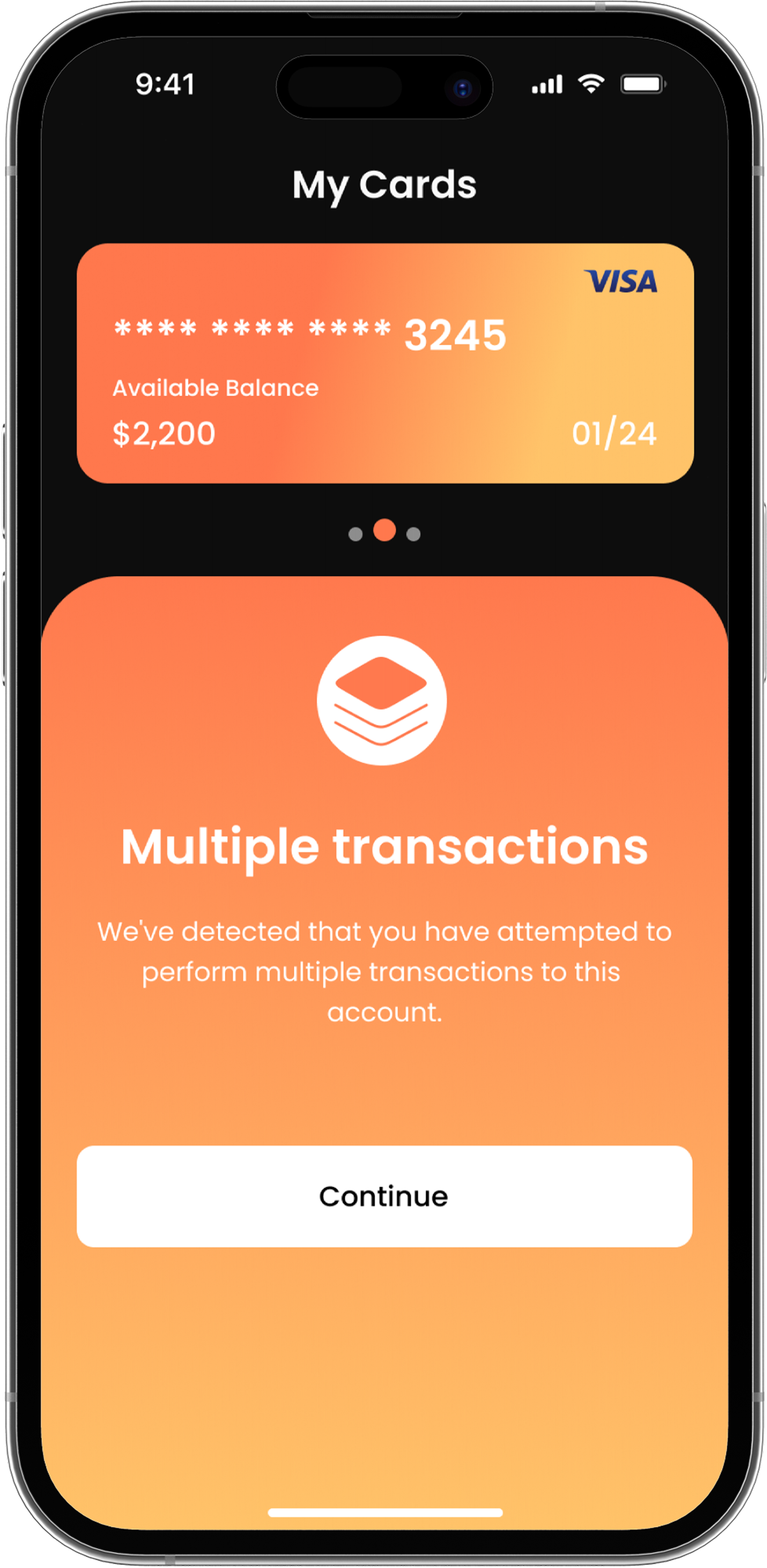
Security warning state for repeated or unusual transaction activity.
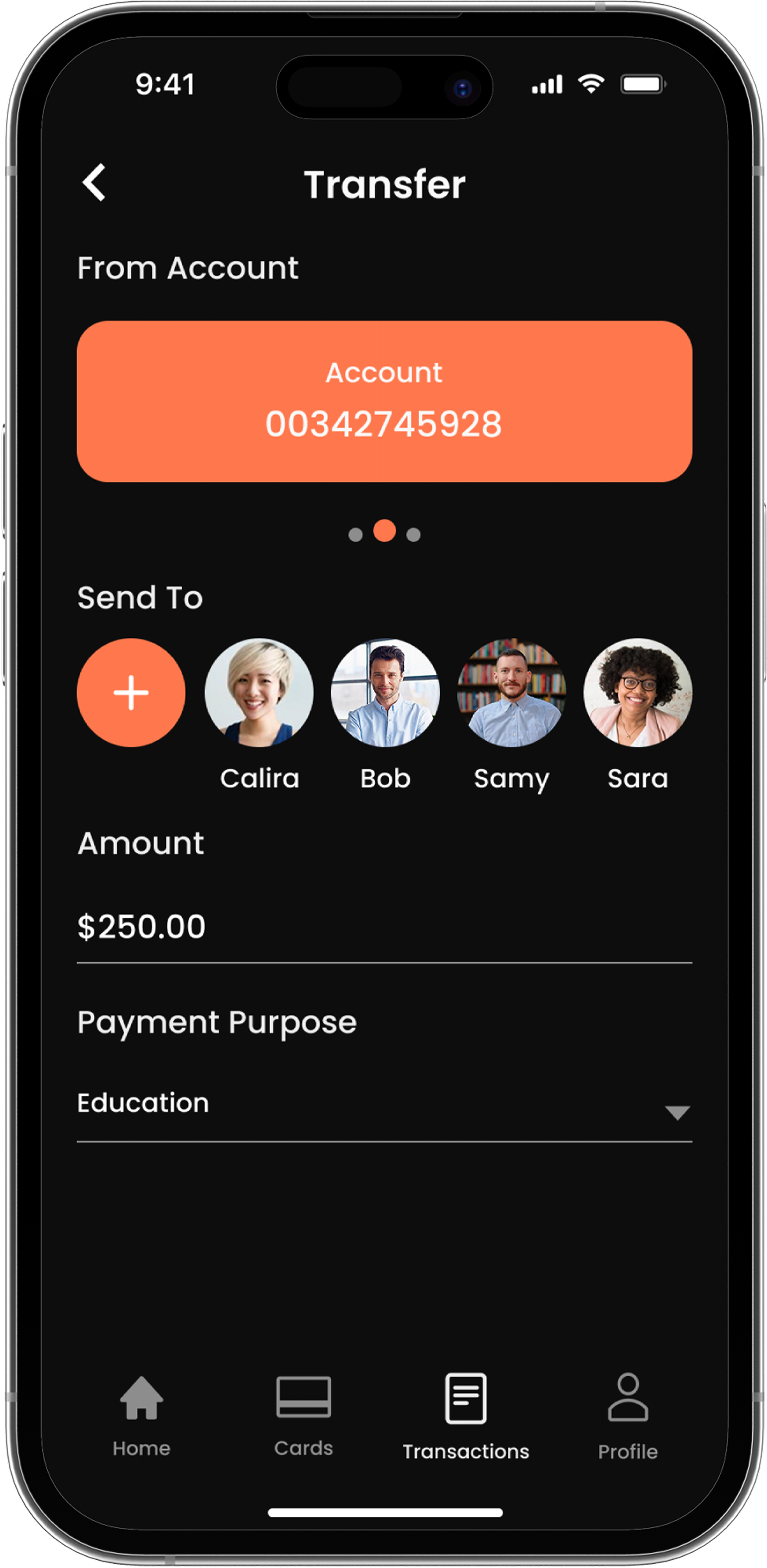
Simple transfer flow for choosing a recipient, amount, and confirmation.
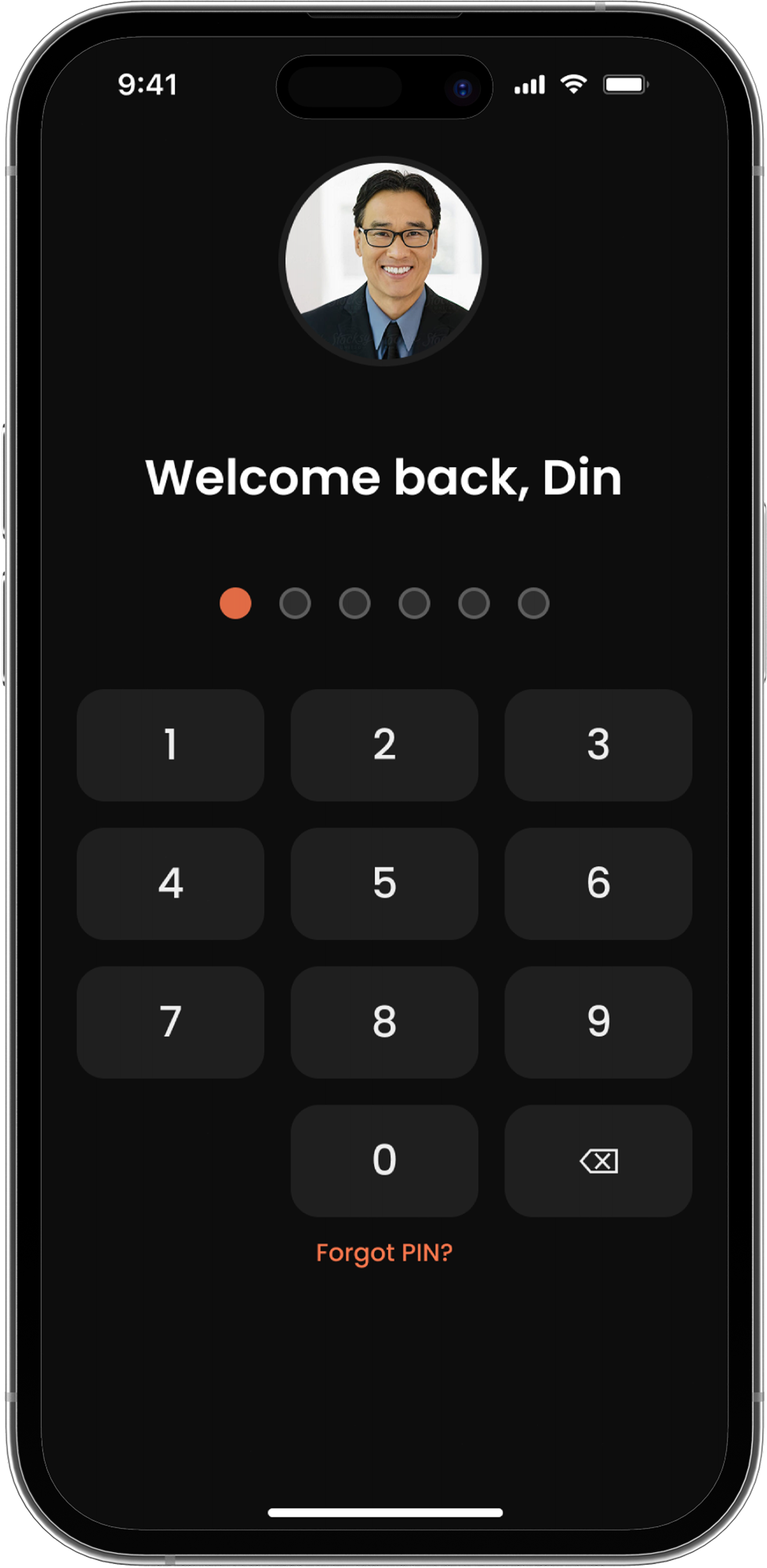
Standard PIN confirmation step before completing a first payment.
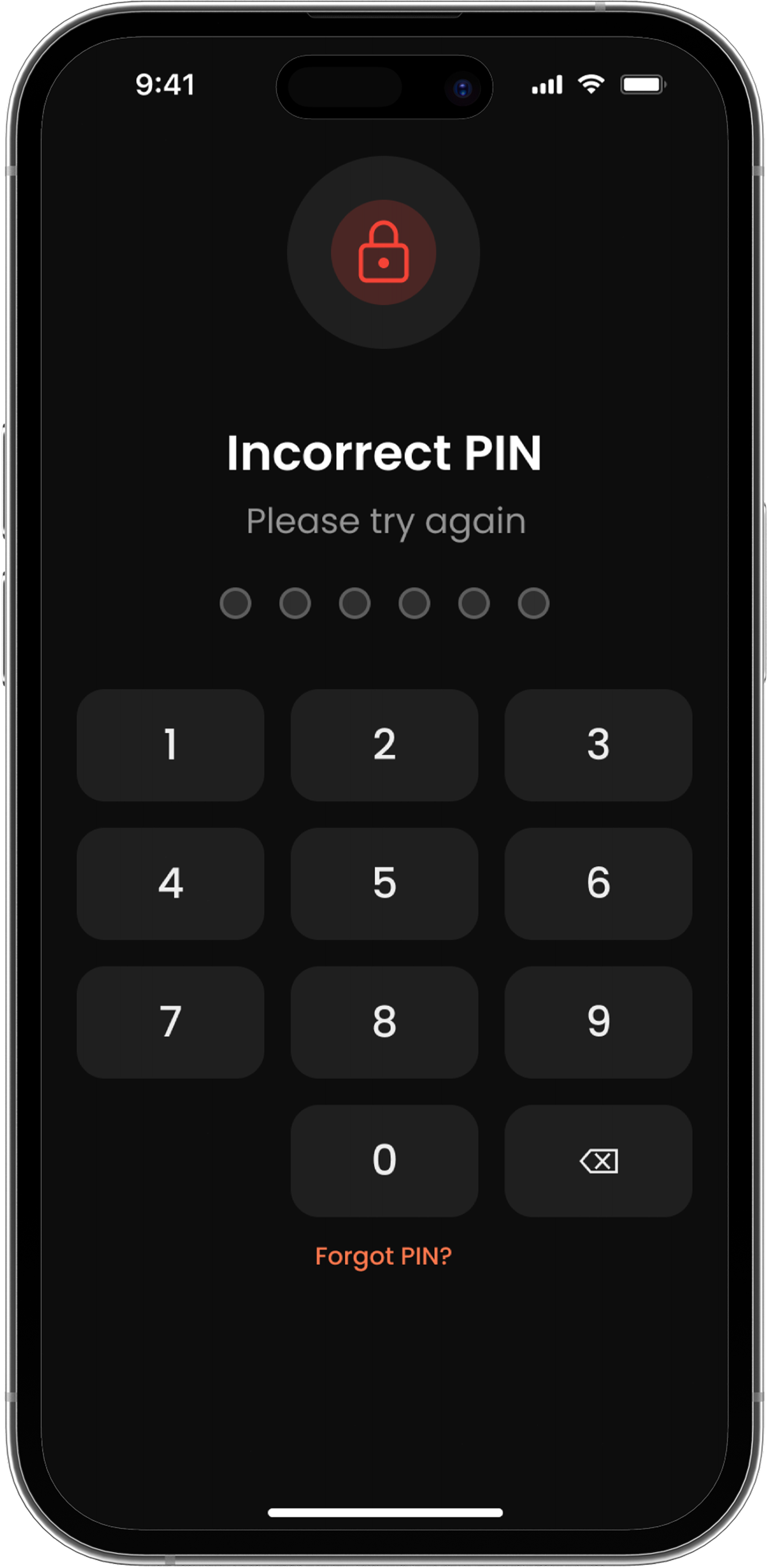
Error feedback for an incorrect PIN attempt during payment confirmation.
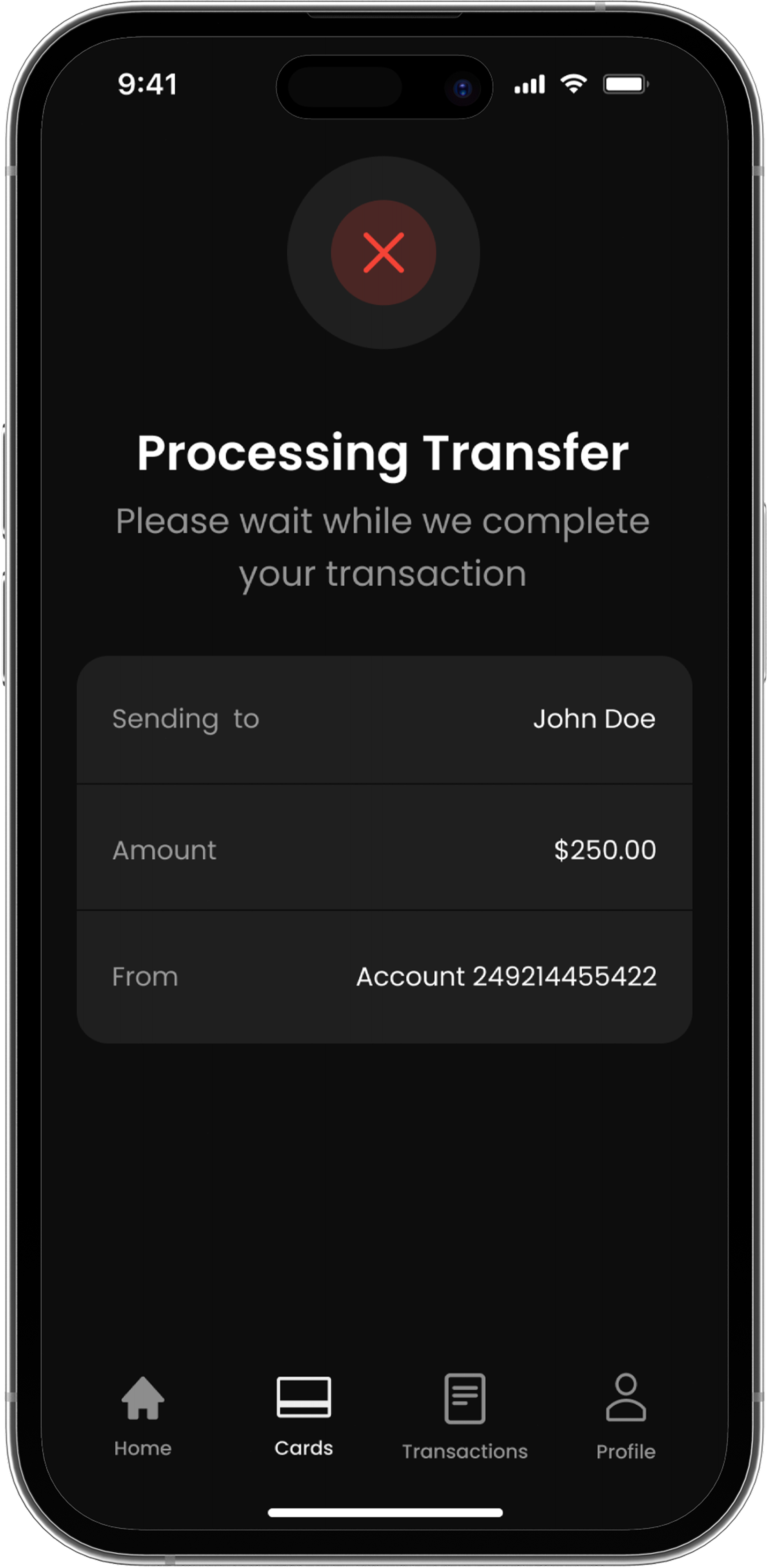
Loading state shown while the first payment is being processed.
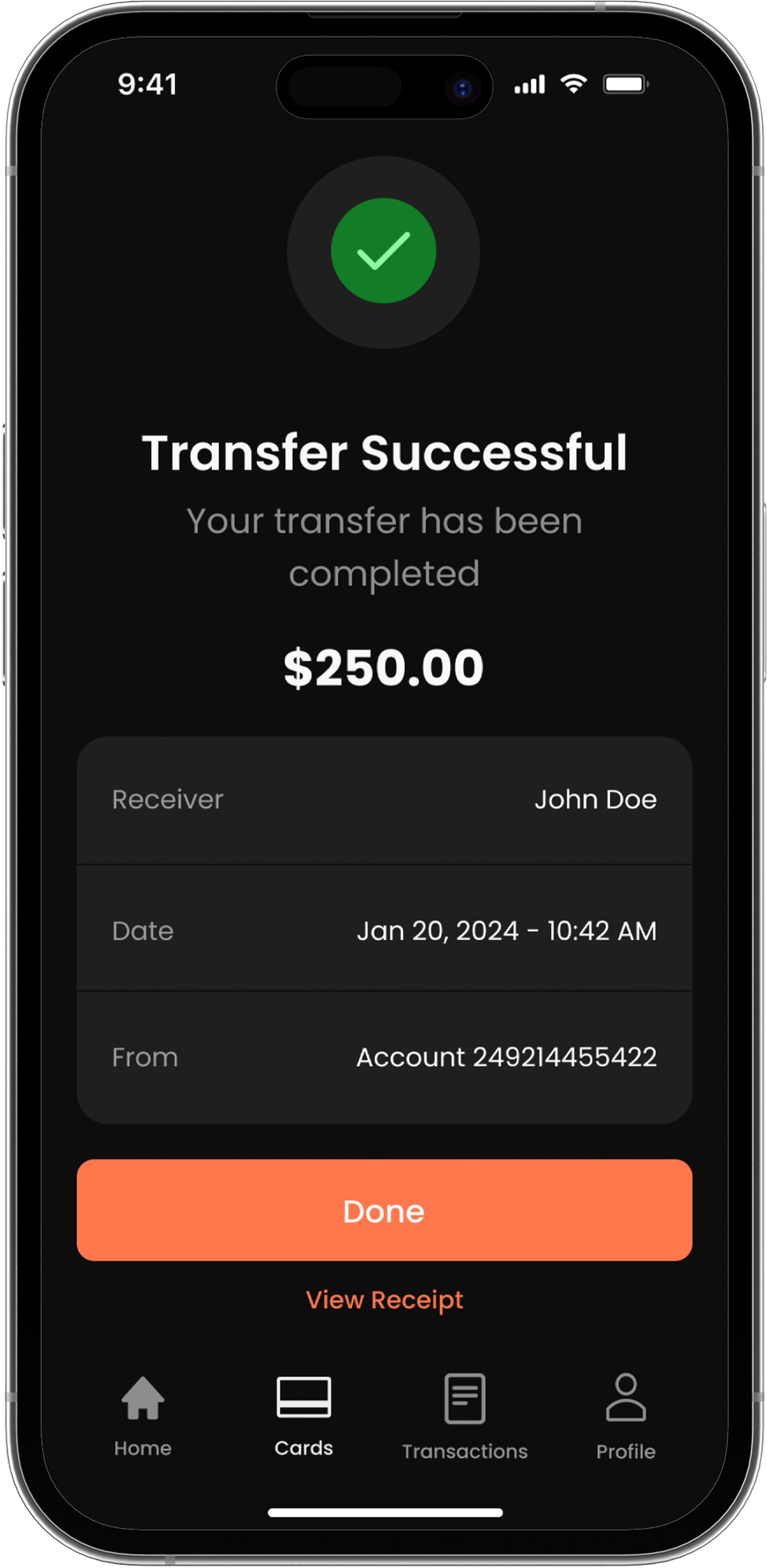
Confirmation state celebrating the user's first completed payment.
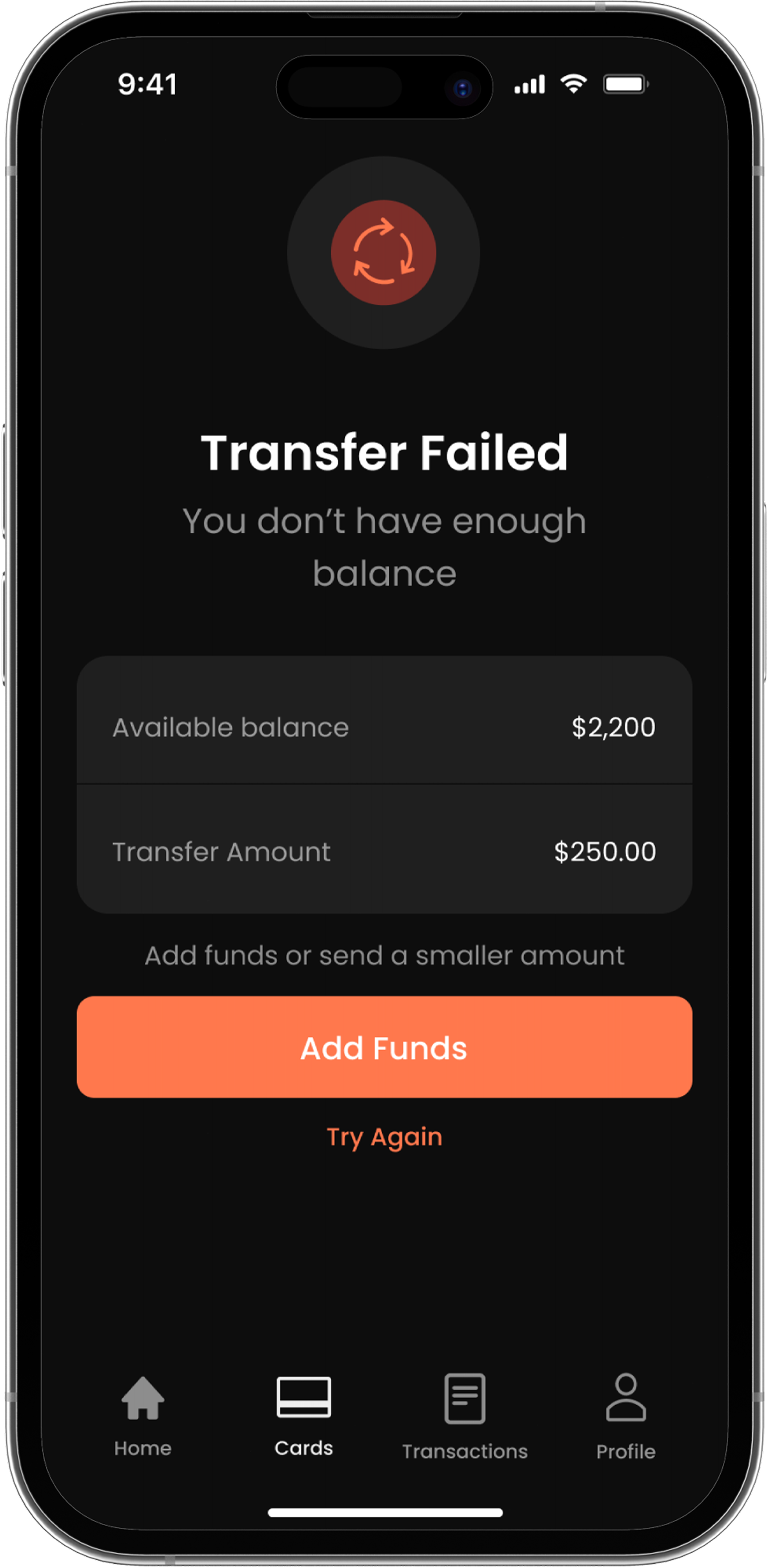
Error state explaining why the first payment attempt didn't go through.
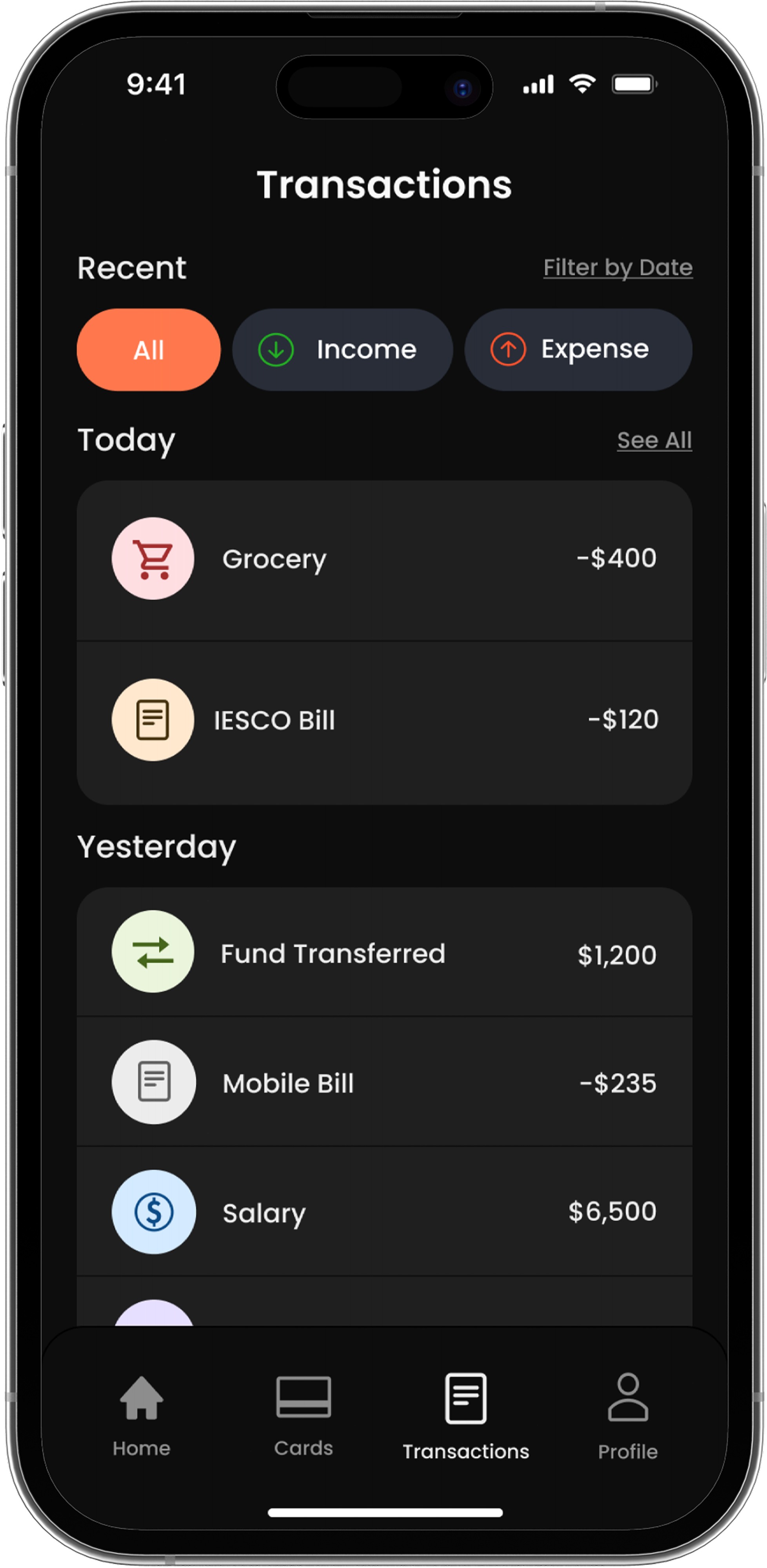
Complete transaction history with clear payment records and activity tracking.
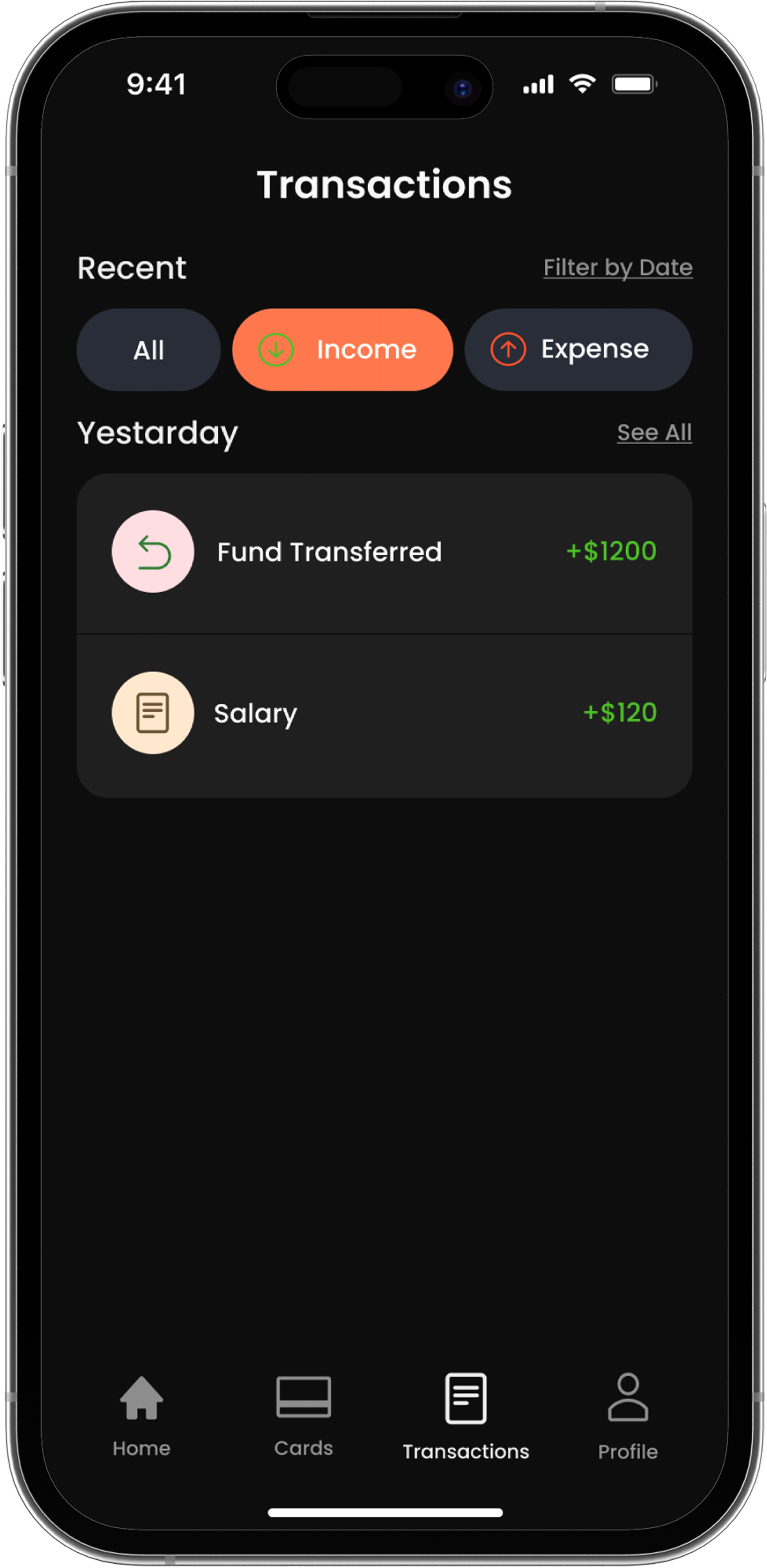
Filtered transaction view focused on incoming payments and deposits.
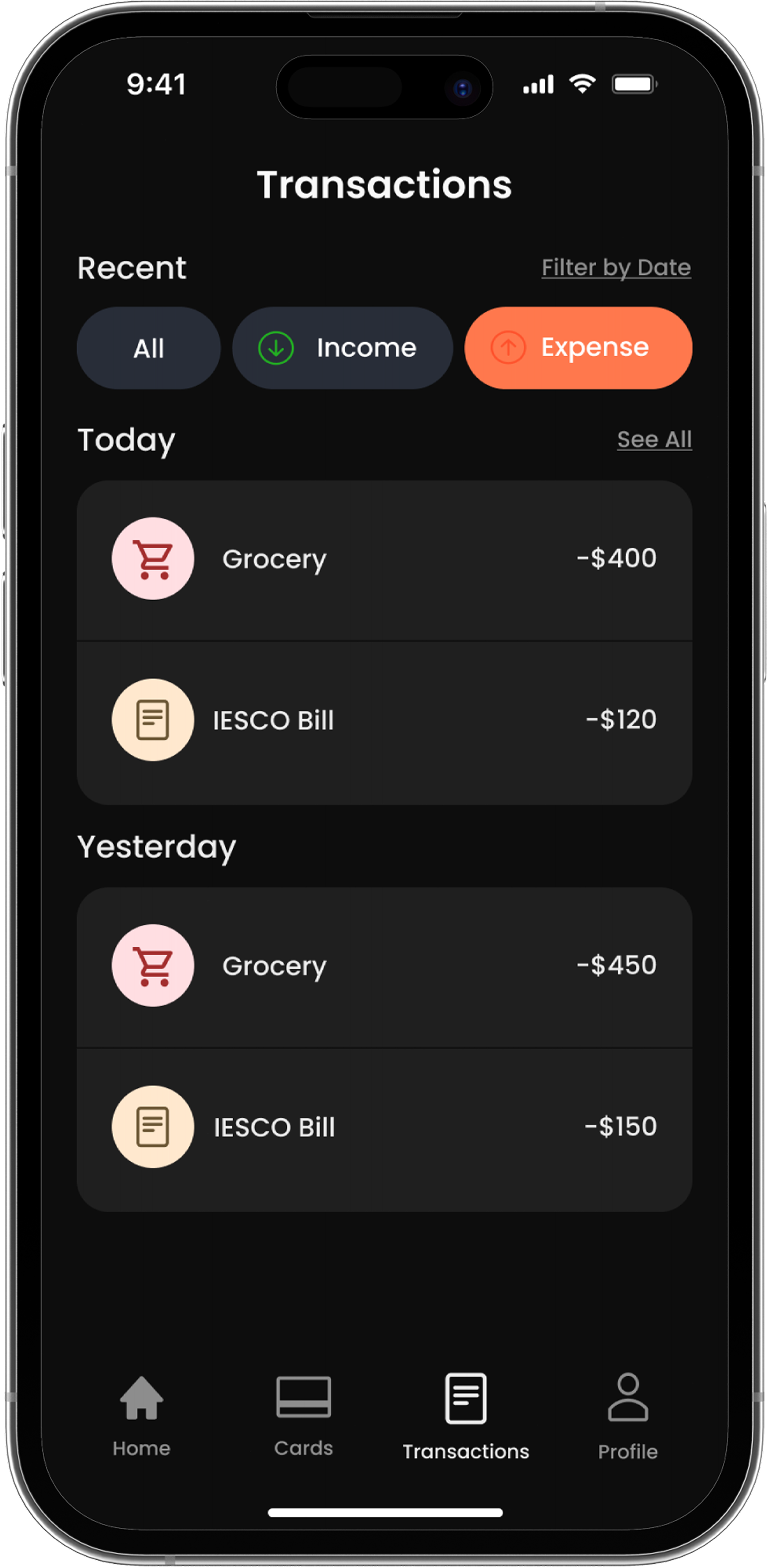
Expense focused transaction view for tracking outgoing payments.
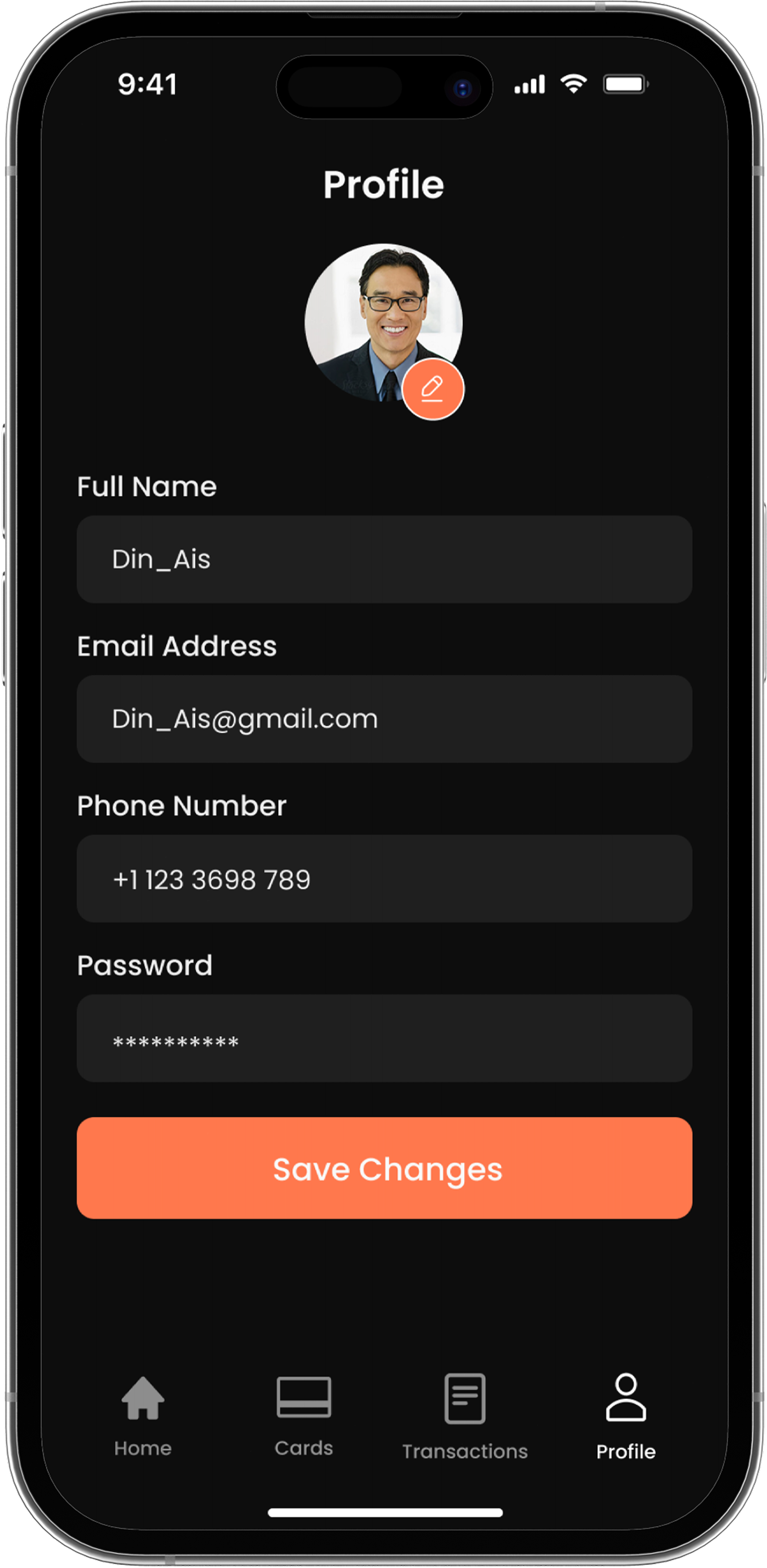
Personal account area with user details, settings, and app preferences.
Interface variations
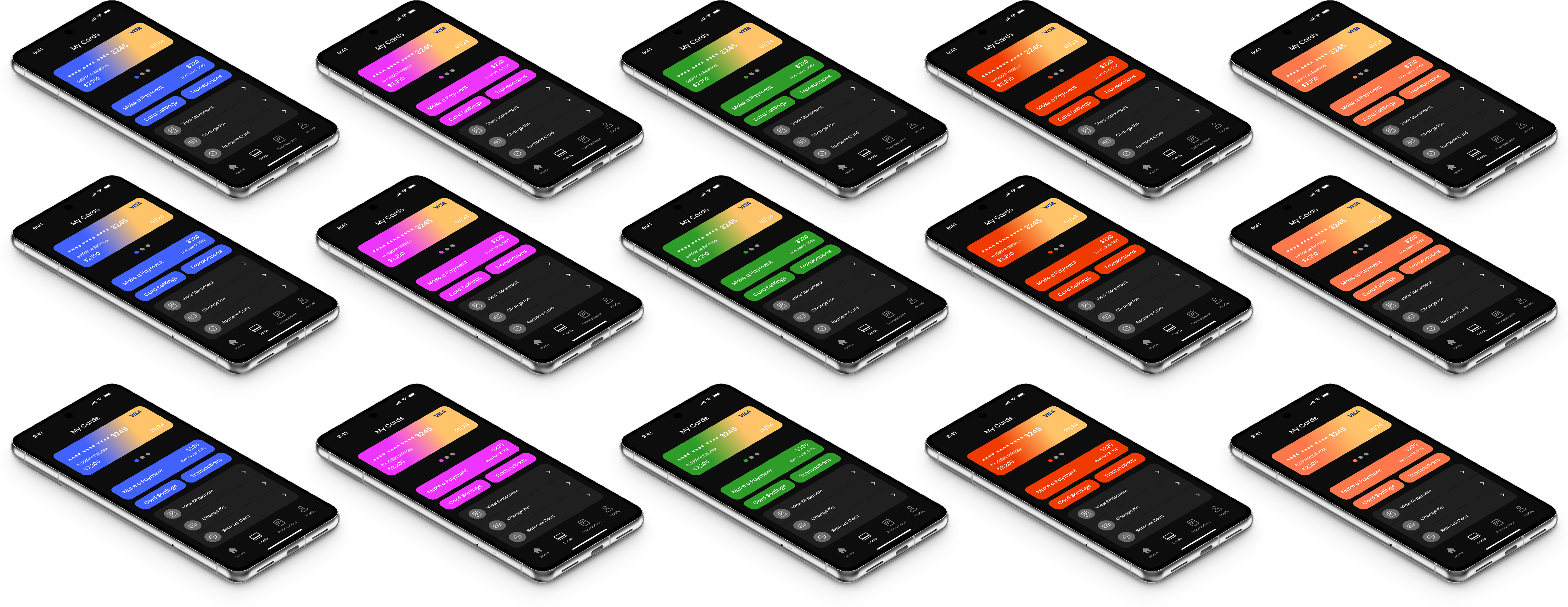
Different accent color explorations were tested to understand how the Nova Bank interface could stay consistent while adapting to different visual moods and product directions.
Try it yourself
A clickable prototype of the core flows — onboarding, dashboard, and send money. Tap through it directly below, or open it fullscreen in Figma.